When Liz DeMar, CPA, MBA joined Marshall Jones two years ago, she wasn’t just looking for a job. After balancing motherhood and part-time roles for several years, she was searching for something more — a place where her skills, values, and life could all align. What she found was a firm that operates on systems, collaboration, and authenticity. A culture where she could make an impact without compromising who she is.
Today, as Senior Manager of Client Accounting Services (CAS), Liz is helping shape those very systems by designing the processes that make work smoother for her team and more valuable for clients.
From Journalism to Accounting
Accounting was not Liz’s first career plan. “I actually wanted to be a journalist,” she recalls with a laugh. Writing was her first love, but during college she discovered a talent for business. “I started taking business classes and realized I was good at it,” she says. “Other people were struggling, and I thought, ‘I can do this — and I kind of like it.’” Encouraged by her accountant father, she followed that strength and built a career that blends analytical skill with creative problem-solving.
Finding Purpose in Flexibility
When Liz joined Marshall Jones, her primary goal was to find balance. “This was my first time being full-time since having kids,” she explains. “I started part-time and went full-time this past January.” What began as a practical search for flexibility evolved into something more rewarding. “I thought I was just finding a flexible job, but it turned out I really liked the firm and the work,” she says. “It felt like the stars aligned.”
With four children ranging from elementary to high school, structure is essential in both her personal and professional life. “For me, systems are key,” she says. “I don’t want to feel stretched in my family life or my work life. So I’ve focused on creating a system that allows me to be fully present in both.” That structure includes mental clarity, organization, and support — both at home and within her team.
Leading Through Systems and Openness
Within the CAS department, Liz leads a team that collaborates across multiple clients and projects. Her leadership style emphasizes openness and collaboration. “In CAS we’ve implemented some procedural changes I recommended,” she explains. “It started as an idea I brought to Greg, and after a few iterations it became part of our monthly process.” For Liz, it’s proof that the culture at Marshall Jones embraces new ideas.
“Marshall Jones is a place where ideas are always welcome,” she says. “A lot of firms can be set in their ways, but here, everyone is open to growth and willing to consider new approaches.” That environment, she believes, is one of the firm’s greatest strengths and a key reason it continues to attract professionals who value both innovation and collaboration.
Her passion for systems thinking extends beyond the firm’s internal processes. Liz enjoys helping clients create better structure in their own businesses. “I really enjoy working with clients to get organized so things run more smoothly,” she says. “That’s what makes me excited to get back to work.”
Seeing the Big Picture in a Detail-Driven Profession
As a leader, Liz is intentional about mentoring younger accountants who are still developing their perspective. “We’re supposed to be detail-oriented, and that’s absolutely true,” she says. “But some people struggle to see the big picture. The key is learning how the small details connect to the overall process.”
She also emphasizes the importance of emotional intelligence in client relationships. “Personalities matter a lot,” she explains. “Sometimes we even play a bit of a therapy role. Every client is different, and their personalities influence the work we do.” That awareness helps her build trust and empathy with clients, even in challenging situations. “Once you understand where someone’s coming from, you can appreciate them and their quirks,” she says. “It changes how you work together.”
A Grounded View of Technology
As technology evolves, Liz brings a balanced perspective to its role in accounting. “A year ago, people were saying AI would change everything, but I think it’s overhyped,” she says. “So much of what we do is relationship-based. Even if a program could generate perfect answers, that’s not really what clients want.” She sees technology as a support tool that can make processes more efficient, but not something that replaces the human side of the profession.
Her clients are primarily small and midsize businesses and nonprofits — organizations where trust and personal connection are central to success. “We’re usually working with companies that have one to three million in revenue or nonprofits in the two to five million range,” she says. “They’re smaller, so relationships matter even more.”
Balance Beyond the Office
Outside of work, Liz finds balance through movement and adventure. “I’m really into Olympic weightlifting,” she says, smiling. “It’s a very niche form of lifting — someone once called it a cult within a cult.” She’s also an avid hiker and traveler. “I took a women’s hiking trip to Utah a couple of summers ago and hiked Zion. It was incredible,” she says. “The desert is one of my favorite places.”
Travel is also how she connects with her children. “I love watching them play sports and exploring new destinations together,” she says. “Sometimes I travel with them, sometimes I take solo trips. It’s a good mix.” If she could pursue any career without limitations, she says she’d return to her first passion. “I’d be a travel writer,” she says. “Like Rick Steves — he has it made.”
Looking Ahead
As Marshall Jones continues to grow, Liz sees opportunity in structure and documentation. “We’re still small enough to pivot quickly,” she says. “But to scale effectively, we need to capture more of what we do so it’s not just knowledge that lives in people’s heads. That’s part of growing up as a firm.”
For Liz, leadership is a combination of organization, empathy, and design. She builds systems that make excellence repeatable and balance achievable. Her path from aspiring journalist to accounting leader reflects a consistent theme: success comes from understanding both people and process — and making them work well together.
Most people think accounting is all about numbers. For Nathan Lummus, it’s always been about balance — between precision and people, work and life, purpose and profit. His fascination with that balance began in high school, when he first discovered accounting’s order and symmetry. “At the time I was also into Star Wars,” he recalled with a grin. “You can think of accountants as Jedis because we bring balance.”
That sense of equilibrium between technical mastery and human connection has guided Lummus throughout his 18-year career at Marshall Jones, where he now serves as Partner and leader of the firm’s audit practice. Known for his technical expertise, calm leadership, and mentorship mindset, Lummus has helped shape the culture of the firm’s next generation.
A Career Built on Purpose
When Lummus began his career, he wasn’t sure what type of accounting he wanted to pursue. It was his exposure to auditing — particularly in employee benefit plans — that shaped his professional calling. “When I’m auditing one of those plans, I’m acting on behalf of the participants,” he said. “If I see anything wrong, I bring it to management. The CPA profession’s number one rule is public interest, and that early exposure really helped me buy into auditing.”
That sense of responsibility continues to define how he approaches his work. Lummus views the auditor’s role not as an enforcer, but as a guide — someone who helps clients navigate complex regulations with transparency and empathy. “Auditing can feel painful for a company,” he admitted. “So, I like to think of myself as the Novocain during the root canal. I’m there to help people get through it without too much pain.”
Building a Culture of Independence and Growth
The culture at Marshall Jones, Lummus said, has always been shaped by trust and autonomy. Under founder Charlie Jones, the firm’s early years were what Lummus calls “Marshall Jones 1.0” — a period defined by freedom and self-direction. “Charlie gave us a lot of independence,” he said. “If he trusted you, you could do anything you wanted to at Marshall Jones.”
When Lummus and fellow Partner Greg Morgan bought into the firm in 2019, they sought to preserve that spirit while introducing structure and mentorship. “I wanted to let people do what they want to do, but also guide them along the way,” he said. “Not just ‘do whatever you want,’ but ‘do what you want, and I’ll help you find what you like.’”
In 2020, when the audit team underwent a major transition, Lummus took the opportunity to rethink how training and culture could evolve together. He began creating videos and process guides to make onboarding and learning more consistent. “I wanted to replicate what I knew without having to be there 100 percent of the time,” he explained. “I gave people the tools to be excellent, and then I was there to answer questions.”
Life-Work Integration
If Charlie Jones’ motto was “work hard, play harder,” Lummus prefers a different phrasing: life-work integration. “I don’t like to be someone at work that I’m not at home,” he said. “I can be professional, but also fun and human.”
That approach translates into daily life at the firm. Even during busy seasons, Lummus finds ways to create moments of connection. Whether it’s sharing a funny TikTok or organizing spontaneous lunches with his team, he believes small gestures build lasting camaraderie. “We work hard, but we also take time to laugh,” he said. “Those breaks matter.”
At home, Lummus is a father of four and unapologetically devoted to family time. He leaves the office around 4 p.m. each day to be with his children, whose ages range from preschool to high school. “From 4:00 pm to 7:00 am, I’m with them,” he said. “Family is important to me.”
His creative side surfaces outside the office, too — often through TikTok, where he’s been known to post lighthearted videos featuring his kids. What began as a way to practice video communication evolved into a creative outlet that keeps him connected to his family and to new forms of storytelling. “It helps me stay creative,” he said. “And creativity, even in accounting, is important for leadership.”
Core Values That Define a Firm
When Marshall Jones formalized its core values, Lummus helped lead the process. The team’s guiding principles — Rock Solid, Down to Earth, Refuse to Settle, and Make It Matter — reflect the firm’s culture as much as its professional standards.
“Rock Solid is about dependability,” he explained. “Down to Earth means never making clients feel small. Refuse to Settle is about continuous improvement — doing the hard things even when it’s easier not to. And Make It Matter reminds us that our work has purpose.”
He’s quick to point out that “Refuse to Settle” doesn’t mean perfectionism. “It has to be good enough and it has to be done,” he said. “Rock Solid and Refuse to Settle have to work together. You don’t cut corners, but when the job is done, it’s done.”
That mindset extends to how he mentors younger staff. His mentorship program, “Developing the Partner Within,” provides a clear path from associate to partner over roughly a decade. “If in 10 years you’re not a partner, maybe you don’t want to be one — and that’s okay,” he said. “Not everyone needs to chase the same path. Some people want to supervise projects and work 40 hours a week. That’s just as valuable. We call it being a rock star instead of a superstar.”
Leading the Future
As the accounting profession faces rapid change — from automation to generational turnover — Lummus is focused on preparing Marshall Jones for the future.
“Seventy-five percent of CPAs are nearing retirement, and private equity is buying up firms that didn’t plan for succession,” he said. “We’re doing the opposite. We’re building a team of future partners. I want the next generation to buy the firm from me one day.”
That forward-looking approach underscores Lummus’ belief that true leadership means creating more leaders. “From the very beginning, I’ve told my team, ‘My job is to train you to take my job,’” he said. “If they can do that, it means we’ve grown. That’s success.”
Whether guiding clients, mentoring young accountants, or making time for family dinners, Nathan Lummus leads with balance — the same principle that drew him to accounting in the first place. Like a true Jedi of his profession, he keeps his focus where it belongs: on bringing harmony to every part of life and work.
For Ethan Bolinger, CPA, accounting has never been about crunching numbers—it’s about solving puzzles. As an accountant in the Client Accounting Services (CAS) practice at Marshall Jones, he views each client engagement as a unique challenge to understand, interpret, and ultimately simplify. That problem-solving mindset, paired with his belief in the human side of business, defines how he approaches both his work and the relationships he builds along the way.
Ethan’s path into accounting wasn’t a straight line but rather a natural evolution from his background in business. Early in his career, he realized that what intrigued him most wasn’t just financial outcomes, but the reasoning and systems behind them. Accounting offered a way to explore those questions every day—and to see how the right solutions could make a tangible difference for clients. “It’s like a big puzzle,” he says. “Everyone’s puzzle is a little different, and I get to help put the pieces together.” That sense of curiosity and satisfaction continues to drive his work at Marshall Jones, where collaboration and creativity are as valued as technical precision.
A Culture That Values People
What Ethan values the most, he says, is the way people treat each other—with respect, trust, and genuine care. “I feel like I’m treated like a human here,” he reflects. In a profession often associated with rigid hierarchies or long hours, that distinction matters. At Marshall Jones, camaraderie and flexibility play a part of the firm’s daily rhythm.
He contrasts this environment with what he’s seen in larger corporate settings, where employees can easily feel like “just a number.” The difference, Ethan explains, is in how leadership encourages autonomy and personal growth. “We have room to do new things and grow as individuals,” he says. That flexibility not only supports professional development but also creates an atmosphere of shared accountability. People are encouraged to take initiative, to experiment with new approaches, and to learn from one another. For Ethan, that sense of empowerment is what makes the firm feel more like a community than a company.
Balancing Technology with Humanity
As technology continues to reshape the accounting landscape, Ethan brings a grounded perspective to the conversation. While he acknowledges that artificial intelligence and automation can streamline certain tasks, he’s skeptical of claims that they’ll transform the industry overnight. “I think the impacts of AI are a little overstated,” he says. “It can add value, but I can’t see it really being possible without having the humans in it.”
That belief is particularly true in the CAS practice, where relationships and communication are central to the work. Accounting may rely on data, but understanding what that data means—and how it impacts a client’s business—requires human insight. “There will always be a role for people,” Ethan notes. “Especially in a firm like ours, where relationships are such a big part of what we do.”
For him, technology should enhance human capability, not replace it. Automating reports or reconciliations might save time, but the most meaningful work still happens through conversations—listening to clients’ goals, identifying unseen challenges, and collaborating toward better outcomes. In Ethan’s view, the future of accounting will depend not on replacing people with technology, but on integrating the two thoughtfully, with relationships at the center.
Life Outside the Numbers
Ethan’s sense of balance extends far beyond his professional life. When he’s not helping clients navigate financial puzzles, he’s often found on the softball field or serving in his local church community. Faith and fellowship play an important role in his life, offering both connection and perspective. “Church is where I spend a lot of my time outside of work,” he shares. “I enjoy being part of that community and playing on our softball team.”
Those moments—whether through teamwork on the field or shared experiences in worship—mirror the same values that guide him professionally. Collaboration, trust, and commitment show up in all aspects of his life. It’s that consistency, Ethan believes, that allows him to bring authenticity into his work at Marshall Jones. “The way you treat people outside of work is connected to how you treat them in business,” he says. “It’s all about relationships.”
Growth, Connection, and Perspective
Ethan’s story reflects the broader culture of Marshall Jones—one that balances technical excellence with a deep respect for people. The firm’s emphasis on personal development and flexibility creates space for individuals to grow into their strengths. For Ethan, that environment fosters not only professional growth but also a sense of shared purpose. “We’re encouraged to keep learning and to challenge ourselves,” he says. “That’s what keeps the work interesting.”
As the accounting industry continues to evolve, Ethan remains committed to the fundamentals that first drew him in: curiosity, integrity, and the satisfaction of solving meaningful problems. Each client engagement is an opportunity to learn something new, to refine a process, or to strengthen a relationship. For him, success isn’t defined solely by financial accuracy but by helping clients find clarity and confidence in their decisions.
A Thoughtful Approach to the Future
Ethan Bolinger’s perspective captures the essence of what sets Marshall Jones apart. It’s a firm that values both precision and empathy, where accountants are as invested in people as they are in performance. His approach—a blend of problem-solving, collaboration, and authenticity—embodies the next generation of leadership in accounting.
Whether he’s analyzing data, advising clients, or stepping up to bat on a Saturday afternoon, Ethan brings the same steady focus to every challenge: understand the puzzle, find the connections, and keep the human element at the heart of it all. In a world increasingly driven by automation and scale, his outlook offers a timely reminder that the most meaningful progress still begins with people.
When Kristen Hendricks joined Marshall Jones, she wasn’t looking for a partnership — she was looking for connection. After discovering that remote work left her feeling disconnected, she began exploring opportunities in Atlanta and stumbled into what would become a defining chapter of her career. A four-hour conversation with founder Charlie Jones sealed the deal. “We talked about everything but Marshall Jones,” she recalls. “We just decided we liked each other.” That connection set the stage for what Hendricks would later call her life’s work: building the systems, culture, and human-centered leadership that have helped transform the firm.
From Administrator to Partner
When Hendricks arrived, the firm was modest — barely a million in revenue and operating out of a single Atlanta office. “It was small but full of heart,” she says. “Even back then, it was the people who made it special.” Over time, she became the organizational anchor that allowed Marshall Jones to scale responsibly, leading administrative strategy and cultivating the firm’s internal culture.
Her eventual appointment as a non-CPA partner was both unconventional and defining. “It’s a big risk to name a partner in a CPA firm who isn’t a CPA,” she says. “But Charlie believed in my drive to make things better and keep evolving.” That trust paid off. Hendricks built the firm’s administrative infrastructure and helped align its operations with its people-first mission. “Nobody had to remember when payroll had to happen or how to manage collections,” she explains. “They could just focus on their work and know I’d handle the rest.”
That division of strengths — technical excellence on one side, operational leadership on the other — became one of Marshall Jones’s quiet advantages. As the firm grew from ten employees to more than thirty, Hendricks ensured that growth never came at the cost of connection.
The Partner of the People
Ask Hendricks how she defines her role and she’ll answer without hesitation: “I’m the partner of the people.” Her philosophy is grounded in a simple truth: happy, supported employees create better client experiences. “If you focus on your people and treat them really well, they’ll care about your clients,” she says. That focus has shaped everything from internal communications to performance evaluations.
The firm’s open-door culture is something Hendricks both inherited and fortified. “A door doesn’t have to be open for you to say something,” she says. Through anonymous employee surveys and routine check-ins, she ensures that every team member has a voice. “If nobody knows something’s wrong, nobody can fix it.”
Culture, for her, is not an abstract concept — it’s measurable. Employee satisfaction scores are among her key performance indicators, alongside recognition as one of the “Best Places to Work,” which is determined by staff feedback. “If our people are voting that this is their favorite place to be, we’re doing something right.”
Core Values that Drive Growth
As the firm continues to expand, Hendricks keeps its core values front and center: Rock Solid, Down to Earth, Make It Matter, No Man Left Behind, and Refuse to Settle. “I can tell right away if someone has those values,” she says. “You either have them or you don’t.”
That mindset guides recruitment as much as it does professional development. Marshall Jones invests heavily in training, even when there’s a chance employees might move on. “People will leave,” Hendricks says. “But if we’re not constantly pouring into them, what’s the point of what we’re doing?” She measures success not by retention alone but by how valued people feel while they’re there. “If someone leaves, I just want it to be a hard decision.”
Her approach to team building borrows from a metaphor she calls “The Energy Bus.” Each firm, she says, is like a bus filled with the right people in the right seats. “You can have the right people in the wrong seats — they won’t be productive. But the wrong people in the right seats will drain the energy from everyone else.” Protecting the firm from those “energy vampires,” as she calls them, is a key part of maintaining the culture she’s built.
Independence and the Road Ahead
Looking ahead, Hendricks is clear about the firm’s direction: steady, independent growth. “There’s a lot of noise in our industry about mergers and acquisitions,” she says. “For us, the goal is to remain independent — to be a safe haven for accountants.” That vision reflects both her entrepreneurial mindset and her loyalty to the firm’s founders. “Charlie always said he wanted Marshall Jones to live on beyond him. My promise to him was that it would.”
Staying independent, she acknowledges, brings its challenges. Competing with larger firms backed by private equity means making careful, forward-looking investments. “We’re in that teenager phase. Too big to be small, too small to be big,” she says with a laugh. “So we have to make smart choices and move quickly, but make good decisions.”
She’s also focused on training the next generation of leaders, even if it means preparing someone to eventually replace her. “That’s the goal,” she says. “To grow the firm so well that one day we won’t have jobs. It’s a strange mindset at 36, but it’s the right one.”
A Culture that Lasts
For Hendricks, the firm’s culture goes beyond workplace satisfaction — it’s about legacy. The same spirit that drew her into that first four-hour conversation with Charlie Jones continues to define how she leads today. She still bakes cakes for employees’ birthdays, plans firm-wide celebrations, and serves on the board of Brewable, a nonprofit coffee shop that employs adults with disabilities.
“Work is my favorite place to have my birthday,” she admits with a smile. “It’s the one time it’s about you — but really, it’s about everyone.” That sense of shared joy, humility, and purpose threads through everything she touches.
Marshall Jones has grown far beyond its modest beginnings, but Hendricks ensures its foundation remains human. “We spend so much time together,” she says. “We should want to enjoy each other.”
Under her leadership, the firm continues to balance growth with authenticity, proving that in an industry defined by numbers, people remain its most valuable asset.
Leadership today rarely lives at the extremes. It exists in the in-between. Between generations, between old expectations and new realities, between the pressure to perform and the responsibility to care for people. In this Marshall Jones Leadership Spotlight, we sit with Diane, a senior tax leader at Marshall Jones, whose career spans public accounting, corporate finance at scale, and nearly seven years inside a firm intentionally redefining what independence and leadership can look like.
Diane’s perspective is shaped by range. Earlier in her career, she served as a VP of Finance at SAP America, overseeing financial operations across offices nationwide. That experience gave her a systems-level view of how organizations work — and where they break. When she transitioned more fully into public accounting and advisory work, she found herself energized not by compliance alone, but by helping clients make better decisions in real time.
“Historical data is what it is,” she explains. “What matters is how you use it to move forward.” That mindset continues to define her work today. Taxes may intimidate clients, but Diane sees solvable problems, human stories, and opportunities for clarity. The fear, she notes, often comes from silence. The unopened letters, unanswered questions, delayed action. Leadership, in her view, starts by engaging reality head-on.
Choosing Independence and Change
Marshall Jones has long been a respected, independent firm, and Diane has seen firsthand what it means to preserve that independence while still evolving. For much of her tenure, change was incremental. Over the past year, however, something shifted.
By joining the leadership team more closely, Diane witnessed a deliberate effort to rethink legacy itself. Rather than defaulting to tradition, firm leadership committed to defining who they want to become next. Implementing EOS and Traction was not about adopting buzzwords, but about creating shared language, accountability, and intention.
What stood out most to Diane was the authenticity of the process. Core values were not handed down — they were debated, pressure-tested, and meant. “You can feel the difference when values aren’t just words on a wall,” she says. “When leadership actually lives with them, people notice.”
That visibility matters, especially in moments of tension. Culture, Diane observes, is fragile when buy-in is uneven. When senior leaders don’t model alignment, teams feel it immediately. For Diane, one of the ongoing challenges within her own group is ensuring that values are not just stated, but consistently reinforced through action.
Leading Across Generations Without a Playbook
Perhaps the most complex leadership terrain Diane navigates is generational. With a team that spans decades of experience, she operates at the intersection of very different expectations about work, authority, and balance.
Earlier in her career, competition was fierce and loyalty assumed. You stayed, you learned on your own, and you earned your way forward. Today’s workforce brings different strengths… and different assumptions. Flexibility is expected. Teaching is demanded. Boundaries are non-negotiable.
Diane does not dismiss these shifts, but she is candid about the strain they can create. Managing across generations requires constant translation. What motivates one group may alienate another. What feels like commitment to some can look like burnout to others.
Remote work has only amplified these tensions. While flexibility has real value, Diane is clear that working from home is still working. Expectations do not disappear simply because location changes. Communicating those expectations clearly, repeatedly, and fairly has become one of the hardest parts of leadership.
There is no single book or framework that solves this. Diane pulls as much from lived experience as from formal leadership models. She acknowledges her own learning curve, including the need to model healthier balance herself. “If all people see is me working all the time,” she says, “why would they want to grow here?”
Rethinking Balance Without Losing Standards
Work-life balance is not a slogan for Diane; it is a discipline. One she admits she has not fully mastered. With client demands, constant connectivity, and a career built on availability, stepping back is harder than it sounds.
Her global experience adds perspective. At SAP, entire regions shut down for August… and the business still thrived. The lesson was not about working less, but about trusting systems, planning ahead, and valuing rest as a performance strategy, not a reward.
Diane is now asking harder questions of herself and her team. What would it look like to plan for real time off? What standards need to be met to make that possible? How do you respect flexibility without eroding accountability?
These are not theoretical questions.
They go to the heart of sustainability — of careers, of teams, and of firms like Marshall Jones that want to endure without losing their humanity.
Leadership as Continuity, Not Exit
As conversations across industries increasingly focus on “making room for the next generation,” Diane offers a grounded counterpoint. Experience is not an obstacle to progress — it is often the engine of it. Mentorship, institutional knowledge, and the willingness to share mistakes are essential bridges between where organizations have been and where they are going.
One of her earliest mentors taught her a simple rule: pass down what you learned the hard way. That obligation now shapes how Diane leads. She believes Marshall Jones is uniquely positioned to honor that continuity while still inviting new ideas, new voices, and new ways of working.
Leadership, in the end, is not about choosing between past and future. It is about holding both. And doing the work required to connect them.
When Charles “Charlie” Jones founded Marshall Jones, he set out to build a successful accounting firm built on trust.
Guided by integrity, intention, and an unwavering belief in doing what’s right, Jones shaped a legacy that continues to define the firm today. At 81, he remains an active force in the profession, mentoring the next generation and performing peer reviews for fellow CPAs. His journey stands as a testament to leadership rooted in character, consistency, and connection.
Early Influences
Jones’ introduction to accounting began at home. His father was a CPA in Philadelphia, and by the time Jones was six, the family had relocated to Bluefield, West Virginia, where his father’s firm served coal companies. “My dad didn’t have any money,” Jones recalled. “So when I wanted to go to boarding school, I had to get a scholarship. But those were the best two years of my life.”
That early independence and exposure to his father’s quiet perseverance instilled in him a deep sense of accountability. He went on to attend Washington and Lee University, where the school’s honor code left a lifelong imprint. “Integrity was everything,” he said. “It was the same at Arthur Andersen, where I started my career. Despite what happened years later, back then it was a firm built on integrity.”
From that point on, doing what’s right — especially when it wasn’t easy — became a defining thread through his personal and professional life.
Founding a Firm on Trust
After gaining experience at Arthur Andersen and later serving as a controller in real estate, Jones co-founded his own accounting firm, which eventually evolved into a partnership with Harry Marshall. Together, they formed what would become Marshall Jones.
“The partnership worked because it was built on honesty, not similarity,” Jones said. “We were totally different guys, but we were the two most honest people our mutual friend had ever met. That was probably the best compliment I’ve ever gotten.”
The firm grew slowly and deliberately, emphasizing quality over size. “After 25 years, we only had 11 people,” Jones recalled. “But we were profitable, and we had the right people.” When Harry Marshall passed away at just 61, Jones took full ownership and carried the firm forward. “Our honesty held us together,” he said. “It was the foundation.”
Empowering the Next Generation
Every great legacy depends on the leaders who come next — and Jones was intentional about preparing for that. One pivotal moment came when he hired Kristen Hendricks, now Partner of Firm Administration. “She came in as a $28,000 office manager, and I hired her on the spot,” he said.
Hendricks quickly became a catalyst for growth. Within a few years, she was modernizing operations, refining marketing, and helping the firm expand well beyond its traditional model. “A consultant once told me, ‘If you’re not careful, she’ll take over the firm,’” Jones said with a grin. “A few years later, I called him back and said, ‘She did — and we’ve doubled our people since then!’”
Jones’ leadership philosophy has always been about empowering capable people and trusting them to lead. “She really runs the firm,” he said proudly. “She’s the achiever type. If you don’t give her enough work, she’ll find more to do.” Alongside Managing Partner Greg Logan and a growing team, Ball has helped shepherd Marshall Jones into a new era — without losing the cultural DNA that Jones established decades ago.
Innovation Rooted in Values
After the loss of his partner, Jones helped transform the firm by expanding into outsourced accounting, then a new concept in the industry. “We started taking over everything for nonprofits — paying their bills, doing payroll, keeping their books,” he said. “It took off.”
That strategic shift positioned Marshall Jones as a trusted partner for nonprofit organizations, a niche that remains one of the firm’s strengths today. “There’s a real need there,” Jones noted. “Nonprofits often have complex accounting requirements, and we understand them.”
Even as services and staff expanded, one principle remained unchanged: integrity comes first. “Integrity and quality — you just have to have that,” he said. “If people hear the name Marshall Jones, I want them to think of honesty and exceptional work.”
Mentorship, Connection, and Purpose
Though Jones no longer manages daily operations, his influence continues to shape the firm’s leadership culture. He still meets weekly with Kristen for lunch — a tradition that’s lasted nearly a decade. Their ongoing conversations reflect the deep trust and mutual respect that have guided the firm’s evolution. “We’ve always been able to speak candidly with each other,” Jones said. “That openness has been key to our success.”
Outside of work, Jones remains as active and sharp as ever. “I’m 81,” he joked, “and I tell people my friends are either dead, thinking about it, or in a home. So I’d rather go to a baby shower than a funeral.” His schedule is full: golf on Mondays and Wednesdays, peer reviews on Tuesdays and Thursdays, lunch with his wife on Fridays, and family time on weekends. “You’ve got to have something to do,” he said. “It doesn’t matter what it is — staying busy keeps you sharp.”
A Lasting Vision
When Jones looks to the future, his hopes for Marshall Jones are both ambitious and grounded. The firm aims to grow from $7 million to $35 million in revenue over the next decade, becoming one of the largest local firms in Atlanta. But for Jones, the real measure of success isn’t in numbers — it’s in reputation.
“I want people to know that we’ve done it the right way,” he said. “With honesty. With quality. With care for people.”
More than five decades after he began his career, Charlie Jones’ philosophy still guides the firm that bears his name: lead with integrity, empower others, and let trust be your legacy.
When Greg Logan describes his career path, he does so with characteristic humility and humor. The Managing Partner at Marshall Jones didn’t set out to lead an accounting firm — or even to become an accountant. “I was the undecided type,” he says, reflecting on his early days. “A good student, but without much of a plan.” What began as a practical choice to follow a friend into accounting became, over time, a deliberate pursuit of leadership, culture, and purpose.
Today, Logan’s influence at Marshall Jones extends far beyond the numbers. His journey from intern to partner reveals a thoughtful evolution — from a young professional content to “walk the well-trodden path” to a leader intent on shaping an organization that values people first.
From Following to Leading
Logan’s entry into accounting was as unplanned as it was fortuitous. A friend and future partner, Nathan, declared his intent to study accounting, and Logan simply followed. “It seemed practical,” he says. “I was good at it, so I just kept at it.” Over time, practicality gave way to ambition. He set his sights on partnership early, motivated not by prestige, but by the desire for autonomy — the right, as he puts it, “of refusal to be a partner.”
That drive eventually brought him to a crossroads about a decade into his career. As opportunities to buy into the firm emerged, Logan realized he could no longer coast. “I needed to actually make a decision,” he recalls. “The days of going with the flow were done. I had to decide what I wanted my future to be.”
The turning point came when he advocated for opening a new office in Alpharetta — a move that symbolized both personal and professional growth. “I wasn’t going to just pick up the identity of the old Buckhead CPA firm,” he says. “I had to make some decisions about who I wanted it to be.” It was the moment he began leading with intention rather than convenience.
Redefining Firm Culture
When Logan and his partners took over leadership in 2018, they were determined to evolve the firm from the inside out. “We told people, ‘We were just employees a year ago,’” he recalls. “So let’s make the kind of place we would have wanted to work.”
That simple but profound principle has guided the firm’s transformation. The focus shifted from hierarchy and tradition to flexibility, empathy, and shared ownership. “We let people succeed, we let people fail, and we remind ourselves that we’re all people first,” Logan says. Rather than chasing growth at all costs, the partners built a workplace grounded in mutual respect and work-life balance.
This people-first approach has paid dividends. Marshall Jones has been recognized among the “Best Places to Work,” a distinction Logan admits gives him “a little external validation.” But for him, the real achievement lies in retention and tenure. “I’m proud of the people who’ve been with us for so long,” he says. “They create a core thread through our trajectory that keeps us grounded.”
Facing Change with Curiosity
For Logan, leadership means balancing stability with adaptability. As the accounting industry faces new pressures — from technology to private equity consolidation — he sees opportunity in collaboration and learning.
“Private equity is buying up CPA firms,” he explains. “That’s a threat to firms like ours doing things our own way. But that doesn’t mean we can’t remain independent and still do things correctly.” His response is to seek connection rather than isolation, aligning Marshall Jones with organizations like CP America, a nationwide network of reputable firms. “We’re not going to blaze any trails here,” he says with a wry smile, “but we need to know which train to jump on to make sure we don’t fall behind.”
That steady yet open mindset extends to talent, too. As the profession grapples with declining interest from new graduates, Logan advocates for hiring based on values as much as credentials. “If you get the right people and have the right systems to train them, you can make it work,” he says. The firm increasingly embraces nontraditional hires, focusing on fit, curiosity, and shared purpose rather than rigid résumés.
Life Beyond the Ledger
Outside of work, Logan’s life is as multifaceted as his leadership. A devoted father of three, he’s candid about the challenges and rewards of balancing family, growth, and self-discovery. “I’ve gotten very good at compartmentalizing,” he says. “I’ve always been fairly good at getting home before six, at least most days.”
In recent years, following a personal reset after divorce, Logan has leaned into reinvention. He now cooks regularly, keeps an impeccably organized apartment, and even takes tango lessons. “I like to try different things,” he says. “I’m kind of a jack of all trades, master of none — but I’m okay with that.” He laughs, noting his fondness for K-pop and the memorabilia that decorates his office. “It’s fun, it’s expressive, and it reminds me not to take life too seriously.”
That openness to new experiences has deepened his empathy as a leader. “It takes a village to raise a business as much as it does a child,” he reflects. “We all go through different things, and we fill in for each other when we need to.”
The Evolving Mindset of Leadership
Logan’s path has been less about climbing ladders and more about building personal, professional, and cultural frameworks that allow people to thrive. His interest in industrial psychology reflects that shift. “It’s become a lot more about people than numbers,” he says. “It wasn’t something I considered my strong suit, but maybe it’s a hidden talent I need to develop.”
For him, leadership is not about being the loudest in the room or the most forceful decision-maker. It’s about balance, perspective, and genuine curiosity about how people work best together. He’s candid about his own temperament — “I don’t like conflict, but I’m getting better at healthy conflict” — and sees every challenge as a chance to refine both self and system.
Conclusion
Greg Logan’s story is less about ambition or sweeping reinvention, it’s one of deliberate evolution — a steady movement from following to leading, from stability to self-awareness, from tradition to transformation. Under his guidance, Marshall Jones continues to grow in size, capability, and reach, but Logan hopes its essence remains the same.
“My goal,” he says, “is that ten years from now, it’ll look incredibly different but feel awfully similar.” That balance — of progress and authenticity, professionalism and humanity — is what defines both his leadership and the firm he helps to lead.
No matter what business you run or in which industry you function, financial management is a nonnegotiable if you want to maintain stability, maximize profits and manage risks effectively. Expensify and QuickBooks are financial management solutions that help you track and manage various finance-related aspects of your business, including bookkeeping and client invoicing.
While both tools have similar functions, they have distinct features that can make one more suitable for your business needs than the other. In this blog, we dive deep into each of these tools and place them side by side to show you how they differ, enabling more informed decision-making.
A Deep Dive Into Expensify
Expensify is a comprehensive expense management software that streamlines expense management processes for businesses of all sizes. This tool enables you to automate processes, including receipt scanning, expense tracking and reimbursements. Beyond simplifying expense tracking and management, Expensify saves employees valuable time they would otherwise spend computing expense reports.
Core Features of Expensify
Several unique features make Expensify a valuable tool for businesses. Let’s examine some of these features and their benefits.
Expense Management
With Expensify, employees can automatically create and submit expense reports, which are immediately reflected in relevant accounting records. Some expense management features that make this tool stand out are:
Automatic receipt scanning: Expensify’s SmartScan feature makes it much easier for users to scan and transcribe receipt details, such as merchant, date and amount, a process that reduces the time required for expense creation.
Integrated bank and credit card sync: Users can integrate bank and credit cards to enable automatic receipt retrieval.
Seamless reimbursement: Expensify facilitates easy reimbursement of employees through an integrated system that processes payments directly into payroll or their bank accounts.
Multi-currency expense entry and conversion: This feature enables users to record expenses in other currencies and perform conversions easily.
Spend trend insights: You can track spending trends and insights in real time.
Travel Management
Expensify comes with several features for managing travel expenses. These features make it easy to book flights, hotels and rental cars and manage travel itinerary, all in one place. Additionally, administrators can set travel and budget rules regarding flights and accommodations, guiding travelers to stay within company travel policies.
Client Invoicing
To make it easy to send and track client invoices, Expensify offers several invoicing features designed to help you stay organized and efficient. It enables you to provide clients with multiple payment options and generate detailed payment reports. Additionally, you can track when clients view or pay invoices, as well as check if they are overdue, all within a single application.
Pros and Cons of Expensify
Expensify has several benefits for businesses. At the same time, it may have potential drawbacks that could make it unsuitable for your business needs. The following sections break down some of the pros and cons of the tool.
Pros of Expensify
Some of the advantages of Expensify include:
Intuitiveness: The app features an intuitive and user-friendly interface that enables users to manage expenses efficiently.
Convenience: Expensify saves time and is convenient for quickly reporting expenses without the hassles that accompany manual reporting.
Mobile friendliness: Users can enjoy the convenience of seamless expense management, whether they are accessing the Expensify app on desktop or mobile devices.
Cons of Expensify
Some potential drawbacks of Expensify include:
Minimal accounting features: This tool primarily serves as an expense management tool, and as such, it doesn’t offer robust accounting functionality.
Steep learning curve: Depending on their level of technical proficiency, users and administrators may initially face a steep learning curve, which can be frustrating.
Limited automation: For high-volume and complex transactions, Expensify may offer limited automation.
A Deep Dive Into QuickBooks
QuickBooks is an all-in-one accounting software that equips businesses with the tools and features necessary for effective financial management. You can use this software for various financial tasks, from bookkeeping and payment processing to invoicing and financial reporting. Like Expensify, it’s also useful for expense tracking.
Core Features of QuickBooks
Widely used among business owners, QuickBooks offers several unique core features that address various financial management needs. We break down some of these features below.
Expense Automation and Management
QuickBooks offers several features designed to automate and manage expenses. Some of these features include instant expense tracking, quick access to expense reports, report sharing, reimbursements and receipt organization — a helpful feature, especially during tax season.
Invoice Management
Instead of manually computing invoices, you can create custom invoices with QuickBooks in just a few clicks, personalizing invoices with details such as a company logo and brand colors. QuickBooks enables you to track invoice statuses and send automated follow-ups for overdue invoices. Additionally, you can send invoices in different currencies.
QuickBooks gives you access to several accounting and expense management tools. While it has several advantages, it also has some limitations, which we will outline in this section.
Pros of QuickBooks
Some pros of QuickBooks include:
Cloud accessibility: Users can access this software from anywhere, thanks to its cloud-based architecture.
Integration: It’s integratable with other tools, including Expensify.
User-friendly interface: QuickBooks has a clean, intuitive and user-friendly interface.
Cons of QuickBooks
Some potential drawbacks of this software include:
Steep learning curve: Users unfamiliar with accounting software may encounter a steep learning curve.
A Feature-by-Feature Comparison Between Expensify and QuickBooks
Expensify and QuickBooks share some standard features, including expense management, but differ in their overall functionality and capabilities. Here’s a side-by-side comparison to highlight some key differences in functionality.
Expense tracking and management: Both Expensify and QuickBooks have expense tracking and management features. However, Expensify only allows you to track and manage billable expenses. With QuickBooks, you can track both billable and non-billable expenses and link them directly to the corresponding customer or project.
Accounting and bookkeeping: QuickBooks is a comprehensive accounting system designed to meet the accounting and bookkeeping needs of businesses. Expensify, on the other hand, is limited only to expense tracking and management.
Reporting and analytics: While Expensify offers expense reporting and analytics features, QuickBooks takes it a step further by providing customizable financial reporting features as well.
Receipt scanning: You can use both Expensify and QuickBooks for scanning receipts — however, they operate differently. Expensify features a SmartScan function that captures receipt details and automatically fills out the expense report. For QuickBooks, users take photos of receipts, after which the software uses its Optical Character Recognition technology to read and extract data.
Expensify vs. QuickBooks: Which Is the Better Option?
There is no clear-cut answer to the question of which is better between Expensify and QuickBooks. Neither is superior to the other. They serve different purposes, and each one can complement the other. The more pertinent question is, which is better suited to your business needs? Here are three scenarios that outline their distinct roles to help you make an informed decision:
Scenario one: You’re a growing organization with three primary accounting needs — comprehensive financial reporting, invoicing and inventory management. In this case, QuickBooks will be a more suitable and robust option to explore.
Scenario two: You’re a business with heavy employee travel and expense reporting. You need a simplified system for managing travel bookings and handling frequent employee reimbursements. Expensify will be a better tool for this purpose.
Scenario three: Your organization has both needs outlined in Scenarios One and Two. Instead of choosing one over the other, you can enjoy the best of both worlds by investing in Expensify and QuickBooks. While Expensify captures your expense data on the front end, QuickBooks manages your accounting holistically on the back end.
Addressing Common Questions
If you still have questions before deciding on the right plan of action for your business needs, you are not alone. Here are the answers to some common questions you may have.
Can I Skip Expensify if I Already Have QuickBooks?
If your business only handles a handful of expense reports and simple reimbursement needs, then you can skip Expensify. With QuickBooks’ simple expense tracking features, you can automate and manage expenses. However, if your business has a moderate to high expense volume and frequent business travels, Expensify will be an advantageous add-on.
Is Expensify Worth the Extra Cost?
When you take into account the benefits and savings you enjoy with Expensify, it’s worth the price. For instance, with Expensify, employees spend less time creating reports and processing reimbursements. Similarly, it’s easier to enforce spending rules and prevent out-of-policy expenses. The hidden cost of manual expense management exceeds Expensify’s subscription fee, making it an obvious value win.
At What Point Does Expense Software Make Sense?
The following are some indications that you should consider investing in a dedicated expense management software like Expensify:
Increasing expense volume.
Growing employee base.
More frequent business travel.
Higher administrative burden and costs.
Slowing reimbursement times.
Invest in Your Business Needs
The best option for you between Expensify and QuickBooks depends on several factors, including your specific business needs and requirements. At Marshall Jones, we can assist with software consulting and bookkeeping to help you choose the tool that best suits your business needs. Contact us to discuss how we can help.
Running a nonprofit organization is a noble endeavor, driven by a passion to serve and support a deserving cause and make a difference. And to steer this meaningful mission toward success, you need support from like-minded people who share your passion and values. You need help from charitable and kind-hearted donors. To encourage people to join your cause, you need to build a foundation of trust, as it’s key to a long-lasting relationship.
Now, more than ever, transparency is crucial in the philanthropic landscape. Supporters expect honesty and openness about where their donations are going and how they’re making a difference in the world. To build that trust, you’ll need to improve your Charity Navigator score. In this guide, we’ll help you navigate this scoring system and offer simple yet effective ways to improve your charity rating immediately.
What Is a Charity Navigator Score?
The Charity Navigator score is a rating awarded to nonprofits based on their overall performance and fundraising effectiveness in supporting and advancing their organization goal. The higher your Charity Navigator score, the more trustworthy you appear to donors and the more likely they are to support your mission.
The score is primarily calculated from the nonprofit’s IRS Form 990. However, other areas are also considered in a comprehensive analysis of your charity’s performance.
How Are Charity Navigator Scores Calculated?
The Charity Navigator methodology calculates your score using the Encompass Rating System™. This system uses research and specific information about your nonprofit and scores your nonprofit using a formula comprising four areas, or “beacons,” as Charity Navigator calls them.
These four key beacons are:
Accountability and Finance
Impact and Measurement
Leadership and Adaptability
Culture and Community
The sum of a nonprofit’s beacons will total to a score out of 100. This score determines the star rating based on the total points your nonprofit earned. Often, nonprofits won’t have data available for all beacons. To qualify for a star rating, your organization must have an Accountability and Finance score or an Impact program evaluation. These two beacons are the minimum eligibility criteria.
Accountability and Finance
One of the essential beacons for a star rating is nonprofit financial health. It assesses your governance policies and financial health to measure the efficiency and effectiveness of your organization and accounts for 32.5% of your overall score.
Financial Efficiency Metrics
Nonprofits are held to the highest financial standards when managing donations. The organization must be financially stable and efficient to ensure its sustainability. To analyze this, Charity Navigator receives data from your annual IRS Form 990 tax filings and uses various sections from the form to generate scores. You need at least three years of accounting data available for review and assessment to receive a score.
Sections used to generate your financial efficiency metrics include:
Program expense ratio: This is the percentage of expenses spent on mission activities. Ideally, this should be 75% or higher.
Fundraising efficiency: This metric measures how much your nonprofit spends to raise $1. These expenses should be 10%-12% or less of total contributions.
Admin expense ratio: The percentage of total expenses used for overhead should be as low as 10%-12%.
Working capital ratio: This ratio measures how long the nonprofit can sustain programs without new revenue.
Liabilities to assets ratio: This metric measures and compares total liabilities to total assets.
Accountability Metrics
Accountability metrics assess whether your charity follows nonprofit governance policies and ethics, and if it’s easy to find important organization information. For this data, Charity Navigator uses your website to evaluate various metrics for the accountability and transparency score.
Compared to financial metrics, accountability metrics can be easily improved by simply adding key documents, such as Form 990, financial audits and a board member list, to your website for transparency. You can also implement certain policies.
Update your website with the following information, where it’s easy to find:
Information on your nonprofit’s Form 990
Audited financial statements
Information and access to your board members and senior staff
Communicated Privacy Policy to protect donors
Retention of board meeting minutes
Policies such as whistleblower policy, conflict of interest policy, document retention and destruction policy
Expense allocations: Ensure the majority of your charity’s expenses are allocated to programs, as this reflects your spending toward your mission.
Board independence: An independent governing body is recommended to ensure full deliberation and diversity in governance and other matters.
Independent audits: Depending on the nonprofit’s size, ensure an audit, review or compilation is prepared for each fiscal year.
Form 990 reviews: Pay attention to adopted policies and independent board member numbers to ensure accuracy and maintain a strong Charity Navigator rating.
Impact and Measurement
Your score also includes impact and measurement metrics of your nonprofit. This beacon counts toward 50% of your overall score and assesses the impact of your charity’s program relative to its cost to run. Simply put, they want proof that your programs are performing and are successful. Successful programs need clear goals and a plan to measure their progress. Impact is important to donors, as it shows what your nonprofit has accomplished.
Outcome Measures
This assessment is open to all organizations and focuses on how a nonprofit monitors and assesses data and uses it to improve its program.
Charity Navigator reviews various program aspects, such as:
Clear program goals.
Evidence-based program design and alignment to serve the community’s needs.
Data collection and analysis to improve effectiveness and decisions.
Results shared with key audiences.
To score highly in this assessment, your nonprofit needs to showcase that it has built a learning and accountability culture that takes impact seriously.
Program-Level Impact Evaluation
This evaluation is available only to organizations with eligible programs meeting specific criteria and assesses the program’s cost-effectiveness. Nonprofits are rewarded for creating more good per dollar spent and driving high-impact missions. The evaluation process is adapted to the program type.
Scores are measured as follows:
100 points: Highly cost-effective
80 points: Cost-effective
65 points: Meets requirements but falls short on cost-effectiveness
Quick Wins for Immediate Improvement
To showcase the impact of your nonprofit and its cost-effectiveness and improve your score, there are two beacon-specific factors you can focus on.
These factors include:
Consistent program result reviews: Track your program’s results often and evaluate the data regularly.
Publicize your program goals and outcomes: Update your website with the latest insights by sharing annual reports to show your mission in action.
Leadership and Adaptability
When you’re focused on a specific mission, a strategic plan and adaptable leadership are necessary to navigate through the challenges that you may encounter along the way. This beacon assesses just that. It focuses on the organization’s leadership capacity, strategy development and adaptability to deliver on its mission in the face of change. This beacon accounts for 7.5% of your overall score.
This assessment is a questionnaire available on the Nonprofit portal, and the score is based on your responses to each of the three categories below. This questionnaire is an opportunity to earn up to 100 points toward your score.
Strategy
You’ll be asked to provide evidence of long-term and strategic goal-setting and rationale. This section of the assessment awards your nonprofit up to 40 points toward the overall Leadership and Adaptability score.
In the section, you’ll need to provide:
Your nonprofit’s mission and vision.
Three of your organization’s most important strategic goals.
An explanation of the strategies your organization is implementing.
Leadership
For up to 30 points, this checklist focuses on your nonprofit’s leadership development and external mission activities.
You’ll need to provide information on:
Leadership development investments such as coaching, DEI training and conferences.
External leader mobilization activities, which include social promotion, partnerships and public policy advocacy.
Adaptability
In the adaptability section of the assessment, you’ll be asked to describe how your nonprofit has adapted to changes over the last 12 to 18 months across various areas. This section will count up to 30 points.
These areas include:
Strategic plans
Restructures
Risk management
Flexibility
Capacity improvements
Culture adaptations
Collaborations
Community engagement
Quick Wins for Immediate Improvement
Embracing and evolving through change can boost your score. And to prove this flexibility and adaptability, you’ll need to provide and showcase various reports.
Examples include your annual or impact reports on your website and storytelling platforms, combined with the assessment checklists. You can place them on your website for transparency.
Culture and Community
The last beacon of the Charity Navigator score focuses on your nonprofit’s overall culture and connectedness to its community. It covers inclusivity and engagement with the people it serves, including staff, beneficiaries and board members. You can earn up to 5%-10% of your total score based on which questionnaires you complete in this beacon.
There are two assessments in this beacon that you can complete via your nonprofit’s Candid profile. These are constituent feedback and equity strategies.
Constituent Feedback
Constituent feedback assesses how your organization gathers and uses feedback from the community it serves using the “How We Listen” questionnaire.
Activities to answer this questionnaire could be:
Asking beneficiaries to provide their input.
Sharing the nonprofit’s goals, outcomes and results with staff and stakeholders.
Gathering feedback from the community and beneficiaries to help improve programs.
No matter where you are in your feedback activities, you’ll be able to earn points for transparency.
Equity Strategies
This assessment is a 14-point checklist that involves diversity, equity and inclusion (DEI) measures within your organization. It evaluates commitments and strategies that foster a positive and inclusive environment.
This checklist can include strategies such as:
Racial equity audits
Equity outcome goals
Published demographic data
Inclusive hiring practices
Diverse board practices
Quick Wins for Immediate Improvement
There are two immediate improvements you can make to improve your score:
Complete the “How We Listen” questionnaire: On your Candid profile, share your feedback practices by completing the questionnaire. This survey is a simple 5% to add to your overall score.
Implement equity strategies: Adopt equity strategies and relay your progress on the checklist.
Overall Star Rating
After your nonprofit has been scored across the various beacons using the collected data and insights, Charity Navigator will calculate your overall score, which will determine your organization’s star rating. Each beacon is given a specific value in the overall score. However, if you haven’t provided data for all of the beacons, it’ll be reallocated among the others.
Here is how Charity Navigator’s overall star ratings are ranked and what each score means.
Score
Rating
Evaluation
What it means
90+ points
4 Stars
Great
Exceeds and meets best practices and industry standards in almost all beacons.
80–89 points
3 Stars
Good
Meets nonprofit best practices and industry standards in some beacons.
70–79 points
2 Stars
Needs improvement
Meets industry standards in select beacons, but underperforms most charities.
55–69 points
1 Star
Poor
The organization doesn’t meet industry standards in most beacons and underperforms.
< 55 points
No Star Rating
Very poor
The nonprofit performs below industry standards and underperforms.
As a nonprofit, your goal is to achieve a 4-star rating, as this indicates that your organization is a highly effective charity.
What Is a Good Charity Navigator Score?
Receiving a score of 75 and more is considered a good score. It shows that your nonprofit is transparent, financially sound, accountable and effective. Receiving a good rating from Charity Navigator will give like-minded donors the confidence and trust they need to support your nonprofit, knowing that you are making a difference.
How Often Are Scores Updated?
Charity Navigator continuously collects insights directly from nonprofits, their data partners and the IRS. However, their ratings are updated and released on their website only five times per year. This timeline allows you time to improve your score across the different beacons and get a better rating before submitting your data for evaluation.
Additional Tips to Improve Your Charity Navigator Score
Between submission deadlines, take time to go through all of your data and information to ensure that it’s up to date, relevant and visible. The more information that’s provided on your platforms for donors to see, the better your chances of improving your Charity Navigator score.
In addition to the abovementioned beacon-specific improvement tips, there are other areas you can explore to further improve your ratings.
Update your Charity Navigator profile regularly: Be active and update your profile with the most recent information and metrics to improve your Accountability and Finance score.
Update your website: Link your Charity Navigator profile on your website and share your 990 for transparency.
Optimize your IRS Form 990: Review it and ensure your website URL is included, along with your nonprofit’s procedures and policies.
Practice transparent data tracking: Invest in reliable fundraising software to collect your data and arrange it on dashboards. It allows you to create and customize reports efficiently.
Review your National Taxonomy of Exempt Entities (NTEE): Check your NTEE code to ensure that it fits with your nonprofit’s cause. Donors use this code to find charities they want to support. Having the correct code ensures your organization is visible.
Stay in the know: Stay on top of nonprofit transparency and reporting trends through reputable sources online.
Improve the weak beacon: Determine which of the four beacons you’re scoring low in and improve it.
Vary your fund sources: Improve your score by working with diverse fund providers.
Treat your donors with care: You oversee your donors’ information and donations, so ensure you follow nonprofit best practices.
Optimize Your Nonprofit’s Success With Marshall Jones
Managing and sustaining a nonprofit is a challenging yet rewarding task. And by ensuring that your nonprofit hits all of the required finance, accountability, impact, community and culture metrics, you’ll improve your score with ease and build stronger trust with your donors, both long-standing and prospective. And if you need assistance with your finance metric, we’re here ready to help wherever we can.
Marshall Jones Certified Public Accountants And Advisors are here to help you manage your finances. With over 40 years of experience performing audit and assurance services, we deliver seamless nonprofit financial solutions and advantages you can trust and rely on.
Ready to optimize your nonprofit’s performance? Contact us today for a consultation and to learn more.
It’s one thing to build wealth and a legacy, and it’s another thing to protect what you’ve built for future generations, for as long as possible. Sadly, estate taxes can take away more of your family’s wealth than you might expect. For this reason, it’s crucial to invest in tax-efficient estate planning because it’s the key to transferring generational wealth with minimal tax repercussions.
One such tax-efficient estate planning strategy is the generation-skipping trust (GST). While this type of trust is not entirely tax-free, it does offer some valuable tax advantages, reducing the overall tax burden on your heirs. This guide provides detailed information about GSTs and how you can use them to protect what you leave behind.
What Is a Generation-Skipping Trust?
A GST is an irrevocable, legally binding agreement that allows you to transfer assets from your estate to your grandchildren or unrelated people, rather than to your children. The designated beneficiaries must be at least 37.5 years younger than you. By bypassing your immediate children, you protect your assets from subjection to successive rounds of estate taxes that would otherwise have been due if you transferred them to the next generation.
How a GST Works
GSTs are an effective way to protect your wealth and spread your assets across multiple generations while minimizing taxation. Let’s break down how this trust works and the steps involved in creating one:
Establish the GST: This first step involves working with an estate planning attorney and financial advisor to create the GST. The trust document should spell out the terms of the trust, the powers of the trustee, the beneficiaries and the rules governing the distribution of assets.
Fund the trust: Next, fund the trust with assets. These can be anything from cash and stocks to real estate and other investments.
Appoint a trustee: You must appoint a trustee to manage the trust and oversee distributions of assets in line with the terms of the trust. You can nominate an individual, a group of individuals or a corporate entity as a trustee of the GST.
Designate beneficiaries: Beneficiaries of a GST can be your grandchildren, great-grandchildren or anyone unrelated to you, provided they are 37.5 years younger than you. You must designate beneficiaries of the trust, as well as the terms under which they can access the trust’s assets. For instance, you may specify milestones such as the beneficiary turning a specific age.
Outline distributions: You can set terms that outline how trustees will make distributions for things like living expenses to your beneficiaries.
Determine the duration of the trust: The duration of a trust can vary depending on state laws. While some GSTs can last for several generations in some states, other states enforce rules that cap the duration of such trusts.
Specify grounds for termination: There are several instances in which a GST can be terminated, including when the last living beneficiary dies, when the trust assets are fully exhausted or when state law dictates otherwise.
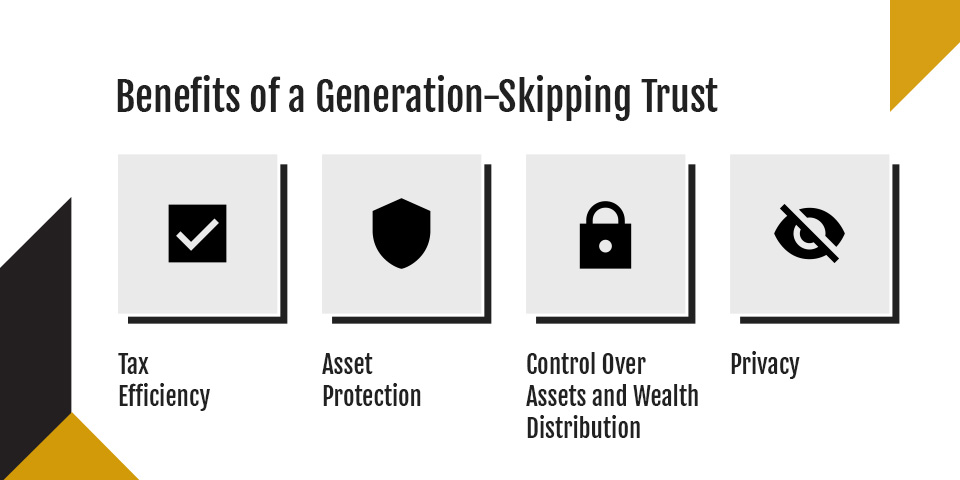
Benefits of a Generation-Skipping Trust
Several benefits of GSTs make them stand out from other types of trusts.
Tax Efficiency
Taxes, such as estate taxes, can significantly impact generational wealth, reducing the value of what is passed down to future generations. GSTs are designed to solve this problem by reducing or eliminating such taxes. This way, heirs can fully enjoy the wealth that has been transferred to them by grantors.
Asset Protection
Because assets in a GST are not treated as personal properties of beneficiaries, they are protected from and out of reach of creditors, court judgments and divorce proceedings. Consequently, you can rest assured that your wealth will remain in the family long after you are gone.
Control Over Assets and Wealth Distribution
GSTs give you a high level of control over how your assets are distributed among your beneficiaries. You can set the specific, long-term rules to govern the trust and outline the qualifications your beneficiaries must meet to receive assets.
Privacy
You may want to keep your family affairs private and away from public scrutiny. GSTs afford you this luxury of privacy. The terms and assets associated with this type of trust are not part of public records, so you can count on your affairs staying private and within your family.
Potential Drawbacks of a GST
Despite all the benefits GSTs offer families, you should be aware of some potential drawbacks before establishing them.
Irrevocability
GSTs are irrevocable, and once established, you can’t change the terms of the trust. This lack of flexibility can be problematic, especially since family circumstances could change over time, necessitating adjustments to the established trust terms. Additionally, tax laws can also change, leaving you advantaged or disadvantaged depending on the terms already agreed upon.
Risks of Family Conflict
A GST is designed to skip a generation in your family and focus on the generations that follow. In many cases, you can set up the trust so it still provides for your immediate children. However, GSTs may still expose your family to risks of conflict. If your children had hoped to inherit the family fortune, they may be disappointed or even resentful of your decision to skip them altogether.
Heir Preparedness
Since the beneficiaries of a GST will likely be minors, they may not have the capacity to adequately handle and manage their inheritance without proper guidance and support. While you can set milestones and conditions to govern the distribution of your assets, they can’t ensure that your heirs are prepared for the responsibilities that come with it.
When Is a GST the Right Move for You?
There are specific circumstances where a GST may be ideal for you:
You have significant assets: If you have substantial assets you want to keep in your family for generations to come, a GST will provide you with the protection you need, both from taxes and legal liabilities. However, if your estate is small, you’re better off exploring other low-cost options.
Your children have sufficient assets of their own: It’s easier to skip your children in a GST when they are financially secure and capable of taking care of themselves without your help. On the other hand, if they have immediate financial needs, it may be unfair to skip them and pass your wealth to your grandchildren.
You have a healthy and closely knit family: GSTs have the potential to cause tension in families, especially those that are already strained. With healthy and more closely knit families, these tensions can be easily resolved if everyone comes to understand the benefits of a GST. If your family falls under this category, a GST is the way to go. Conversely, if your family relationships are already strained, a GST can exacerbate the damage to them.
Secure Your Legacy With Expert Guidance
Under the right circumstances and when done correctly, a GST can protect your family assets long after you leave the scene. Professional assistance is key to ensure a smooth process, which is where experienced financial advisors come in.
At Marshall Jones, we help people like you, who want to secure their legacies, navigate GSTs. Contact us to learn more about how our team of financial advisors can assist you.
When hiring a finance team, a pivotal decision is choosing an experienced CFO or controller to manage financial responsibilities. While these roles overlap in some areas, they differ in scope and focus. This guide highlights the distinctions between controllers and CFOs to help you make an informed choice for your organization.
What Is a Financial Controller?
A financial controller is an accounting expert whose education and training qualify them to be a firm’s lead accountant. They are usually responsible for managing the company’s accounts and overseeing the accounting department’s everyday activities, from bookkeeping and insurance to auditing and HR. Controllers have excellent attention to detail and are trustworthy enough to handle essential documentation and other responsibilities.
Though a controller is a senior financial professional, they often have a more limited focus. If your organization also employs a chief financial officer, the controller will report to that person. Otherwise, they’ll report to the CEO.
What Is a CFO?
A chief financial officer is the highest-ranking financial executive in a company. They are responsible for making strategic choices about things like investments, partnerships and mergers. Everything from significant budget decisions and forecasts that move the company forward falls under their purview.
Unlike the controller, who is responsible for the nitty-gritty details of accounting, the CFO’s responsibilities are more zoomed out and have a broad focus beyond finance and accounting. As a C-suite executive accountable for the company’s direction and vision, a CFO typically reports to the CEO or board of directors, depending on the leadership model.
Controller Responsibilities
As accounting experts, controllers oversee all aspects of financial records, ensuring accurate and timely bookkeeping. Here are some of this position’s duties.
Managing and hiring for the accounting department
Coordinating or advising in budgeting and forecasting
Maintaining external financial reports, including SEC filings, financial statements and tax statements
Maintaining legal compliance regarding finance and tax regulations
Spearheading companywide financial policies
Processing payroll and approving invoices
Performing financial analysis
Implementing new accounting systems
Managing external audits
CFO Responsibilities
CFOs take a comprehensive, big-picture approach. They manage capital structure and generally prepare the business by analyzing financial information. While CFOs can take on additional duties that sometimes overlap with what other executives do, here are some examples of what they are often responsible for.
Overseeing finance department directors like the controller
Managing financial and strategic business planning
Updating and advising the C-suite and board of directors on financial matters
Developing strategies for revenue growth, contingencies and other scenarios
Forecasting analysis to improve cash flow
Managing investments, depth agreements and other treasury activities
Securing financing and coordinating treasury functions
Managing investor relations and overseeing acquisition deals
Restructuring the finance department to improve efficiency
Reviewing internal controls and financial statements
CFO Training vs. Controller Training
A controller’s training path is technical and accounting-focused. They usually start with accounting or finance degrees and pair those with certifications such as certified public accountant or certified management accountant. Their roles in accounting, from entry level to senior levels, strengthen their mastery of financial systems, making them adept at financial audits, reporting, compliance and internal controls.
In contrast, CFOs typically begin their careers by earning finance, accounting or business degrees. They may go on to pursue advanced master’s programs that strengthen their skills in cross-departmental decision-making and long-term planning. CFOs are adept at forecasting, risk management and corporate finance leadership.
Can You Have Both a CFO and Controller?
Regardless of your business’s size, you can hire a CFO and a controller to perform different responsibilities. However, your organization may not need both roles yet. The decision hinges on factors such as company size, growth stage and financial complexity.
Businesses must generate accurate and timely financial records in line with generally accepted accounting principles. However, these day-to-day activities don’t necessarily require a CFO. A controller can streamline your finances if your company is growing rapidly but cannot yet justify the expense of hiring a full-time CFO.
You know you need a CFO if your business has reached a level where it requires strategic financial leadership beyond general recordkeeping. A CFO is crucial if you need a steady hand to shape organizational growth through bold investments, mergers and acquisitions, asset management and financial planning and analysis.
Can You Outsource CFO and Controller Roles?
That depends on your company’s goals, size and budget. Many small and midsized businesses outsource one or both roles via fractional CFO service and third-party accounting firms.
1. Outsourcing a CFO
Fractional CFOs serve as part-time, contract-based executives. Here are the benefits of outsourcing this position.
Cost savings: You get access to executive expertise without the financial investment involved in hiring for a full-time role.
Top-level strategy: Experienced CFOs bring strategic insight designed to help your business grow. In addition, you can adjust their involvement as you scale.
External perspective: Bringing in an external CFO as a consultant exposes your business to knowledgeable and unbiased insight.
Specialized expertise: You can enjoy specialized expertise with critical projects such as restructuring, mergers, acquisitions and fundraising.
2. Outsourcing a Controller
Companies of all sizes outsource their controller functions to accounting service providers who take over financial reporting, internal controls and compliance. Here are the benefits of outsourcing a controller.
Reliable financial reporting: You can maintain accurate and timely financial reporting and save money on the cost of a full-time controller.
Minimized errors: Having an expert accountant who understands standardized processes reduces errors and strengthens controls.
Better compliance: You remain compliant with GAAP and audit requirements.
Advanced technology: Specialized accounting firms stay abreast of tools and systems that streamline accounting operations.
3. Outsourcing Both Roles Simultaneously
Businesses that need a CFO and controller can outsource these roles to create a combined finance department. This arrangement has multiple benefits.
End-to-end services: Comprehensive financial management from strategy and financial initiatives to day-to-day recordkeeping operations.
Reduced cost: It’s cheaper to have a fractional CFO and an outsourced controller, especially if you’re running a startup and need reliable expertise that doesn’t strain your budget.
Coordinated expertise: Since these two financial experts serve different functions, having both on the team streamlines the department.
Contact Marshall Jones for Financial Services
If you’re considering the differences between controllers and CFOs, understanding which professional your business needs is crucial to shaping its future. Marshall Jones is a full-service accounting firm that can help you fill either or both of these roles without hiring an in-house professional.
We are experts in a range of financial services designed to remove some responsibilities from your to-do list, freeing you to refocus your resources elsewhere. Contact our experts to discuss your needs.
Due to their similarities, endowment funds and foundations are often used interchangeably. However, several features make them distinct from each other — they require specialized structures and strategies to ensure long-term sustainability and stability.
If you’re looking to establish an endowment fund or a foundation, it’s essential to understand the key differences between the two concepts, including their purposes, structures and legal requirements.
What Is an Endowment?
An endowment is a financial asset pool donated to a nonprofit organization or an institution such as a university. These donations may include cash and investments, which serve as principal and are legally required to be preserved, while the earnings generated from them are used for specific purposes. An endowment fund is typically used for purposes specified by the donors — however, this will depend on the type of endowment.
Types of Endowment
There are four types of endowments, each with distinct characteristics, operations and structures:
Unrestricted endowment: Funds donated to an unrestricted endowment can be spent, saved or invested at the discretion of the trustees of the nonprofit organization or institution receiving the donation. This type of endowment offers flexibility in the use of investment income, which is also considered unrestricted, and can be used to finance new initiatives and operational or emergency expenditures.
Restricted endowment: A restricted endowment requires trustees of the receiving organization or institution to use the investment income from the principal held in perpetuity to strictly fund purposes specified by the donor. Failure to comply with this requirement may result in legal action, among other consequences.
Quasi-endowment: Typically initiated by benefiting institutions, a quasi-endowment is one in which the principal is not held permanently, but can be distributed at a future date. The endowment’s purpose is determined by the governing body rather than the donors.
Term endowment: This type of endowment is not permanent. It allows for the use of the principal after a fixed period or upon the occurrence of specific events, such as the death of the donor.
Guiding Policies of Endowments
The applicable policies guiding the operation of endowments are characterized into three distinct components:
Investment policy: This policy outlines the types of investments permissible in an endowment. It also defines the extent of risk the investment manager is authorized to take in pursuit of target returns. The goal of an investment policy is to safeguard the asset pool against preventable losses and ensure longevity.
Usage policy: A usage policy clearly defines the purposes for which the endowment fund should be used. These purposes can range from awarding merit scholarships to funding environmental initiatives.
Withdrawal policy: Endowments usually have withdrawal policies that specify the amount that trustees can withdraw from the fund per installment or period.
What Is a Foundation?
A foundation is a stand-alone legal entity that provides funding for specific purposes, such as charitable causes. Donations from different sources, including individuals, families, government agencies and businesses, typically fund them. Foundations are managed by trustees or directors who distribute donated funds in alignment with specified missions.
Types of Foundations
There are several types of foundations, each with distinct functions and funding sources:
Public foundation: A public foundation derives its support and funding from the public. Funding sources may include government agencies, private citizens and other foundations. Charitable organizations that fall into this category are tax-exempt and must pass the public support test, which confirms that they receive at least one-third of their funding from the public, rather than a single private source.
Private foundation: A private foundation is a charitable organization operated solely by an individual, family or business, serving as the primary source of funding.
Endowments vs. Foundations: What Are the Differences?
Both endowments and foundations are designed to provide funding for charitable purposes. However, they differ in the following areas.
Fund Sources and Restrictions
Endowments and foundations have different funding sources and restrictions. Endowment funds are assets donated to generate investment income for specified uses. The initial assets are required to serve as principal and a permanent source of funding for the activities of a nonprofit organization or institution. Depending on the type of endowment, the principal may be unrestricted for use at a later date.
On the other hand, donations to a foundation are distributed directly to fund specified purposes. Unlike the funds donated to an endowment, those contributed to a foundation are not restricted, nor are they required to be a permanent source of funding.
Legal Structure and Governance
Endowments are not recognized as a separate legal entity. Instead, they are an internal fund within an existing legal entity. Consequently, they are governed by the guidelines and policies guiding the parent organization or institution. They also lack a specialized leadership structure, but receive supervision from the leadership of the organization they are affiliated with. Additionally, due to their legal structure, endowments are usually low-cost, as they require no ongoing legal fees and documentation.
Conversely, a foundation is a stand-alone legal entity that has its own personality and holds assets in its name — it can sue and be sued. As a legal entity, foundations typically have defined sets of bylaws and are governed by a board of directors or trustees. In terms of cost, setting up a foundation is more expensive because it involves completing legal documentation and offsetting the associated costs.
Reporting Requirements
The reporting requirements for endowment funds and foundations differ. While the law requires parent organizations or institutions to handle tax returns as part of their financial reporting, foundations are required to file their own separate tax returns.
Similarly, foundations must comply with more stringent disclosure requirements — they are strictly required to report on details such as capital gains and fair market value.
Flexibility
Except in the case of unrestricted and quasi-endowment types, receiving organizations and institutions in an endowment have less flexibility in choosing the purposes for which investment income is used. The donor’s wishes usually limit flexibility.
In contrast, foundations are separate legal entities, a title that gives them more flexibility to choose how they spend their funding to meet their mission.
Get Professional Help With Your Tax Filing
Learning the difference between endowments and foundations is a step in the right direction to ensure clarity in legal structure, operations and fulfillment of tax requirements. Whether you are establishing an endowment or a foundation, you need professional help to file your taxes properly and comply with other tax-related legal requirements.
For over 30 years, Marshall Jones’ Certified Public Accountants And Advisors have helped businesses and organizations with professional client support and tax services. For expert assistance with tax-related matters, contact us today.
When it comes to estate tax planning, there is a lot of pressure to manage your finances to maximize assets and minimize tax burdens, both for yourself and for your beneficiaries. When done effectively, using an intentionally defective grantor trust (IDGT) to separate your taxable assets can be a rewarding strategy, but the process can be complex and hard to navigate on your own.
Discover everything you need to know about IDGTs, including what they are and the requirements you need to meet to invest in one.
An intentionally defective grantor trust is a sophisticated estate planning tool designed to separate assets for different tax treatments. Essentially, an IDGT is an irrevocable trust that reduces the taxable value of an estate to minimize or avoid estate and gift tax payments, while enabling the grantor — the person who sets up the trust — to retain ownership of assets for income tax purposes.
IDGTs are highly beneficial for providing estate planning flexibility, asset growth and a smooth transfer of maximal assets to future generations.
With an IDGT, the different tax purposes are treated as follows:
Income tax: The grantor is responsible for paying income taxes on any income that the assets within the trust generate. Therefore, the assets within the IDGT are able to grow without diverting any of the fund’s assets to pay income taxes.
Estate and gift tax: Any assets added to an IDGT are automatically removed from a grantor’s estate, enabling the grantor to avoid gift tax and treat the payments of income tax separately.
For an IDGT, assets can be transferred using various methods, including gifting or a combination of sales and gifting.
Common Examples of IDGTs
IDGTs are typically used for estates and assets that are intended to be passed down to relatives or other beneficiaries upon the passing of a grantor.
There are many types of assets that you can benefit from placing in an IDGT. Generally, the best assets to transfer into an IDGT are those with the highest potential to appreciate over time.
Examples of suitable assets include:
Real estate.
Private equity investments.
Hedge funds.
Intellectual property.
Business interests.
Stocks.
How Does an IDGT Work?
There are many nuanced steps involved in setting up and benefiting from an IDGT. Here are the basics:
Create and fund: The grantor creates the irrevocable fund and adds to it a gift of cash or assets, and, in doing so, relinquishes control over those assets. This is where the ‘defective’ nature of the trust comes in — although they defer control of the assets, and consequently the need to pay gift or estate tax on them, the grantor continues to pay income tax on the trust’s earnings. The grantor will also appoint one or more trustees.
Sell or gift to the fund: After receiving initial funding, the grantor can transfer assets to the fund through sale or by gifting. At this point, the grantor and IDGT are considered the same entity for income tax purposes, so transfers of these assets are tax-free.
Tax benefits for beneficiaries: The fund’s beneficiaries are able to benefit from any asset growth without having to pay income taxes. As the assets are also no longer part of the grantor’s estate, beneficiaries also benefit from inheriting the assets without paying estate taxes.
Common IDGT Uses
Explore the primary uses for IDGT below.
The Sale of Business Interest
Hypothetically, if you wanted to transfer your company to your IDGT to benefit from tax relief, you could either gift or sell your business’s interest. The most tax-effective method in this instance would be to gift the interest, but many people feel more financially secure when they sell the interest in return for an installment note.
In most cases, the process for selling business interest to an IDGT follows these steps:
Seed gift: You, the grantor, would gift an amount of 10% or more of the business interest being sold.
Installment note: The IDGT would purchase the business interest from you with an installment note.
Payment terms set: The grantor sets the payment terms of the installment note, which will usually have an interest rate in line with the IRS Applicable Federal Rate, and which will not be taxable to you.
Payments made: The IDGT will make payments to you on the installment note by using tax distributions from the business.
A Transfer of Wealth
The most common use of an IDGT is to transfer wealth from a grantor to their beneficiaries — usually their heirs, who tend to be descendants or other relatives.
In most cases, the process for transferring wealth through an IDGT is similar to the one above, and includes establishing beneficiaries, transferring a seed gift and receiving payments on an installment note.
In this type of IDGT, once the grantor dies, the assets within the trust bypass your taxable estate, avoid probate and pass directly to your chosen beneficiaries.
Requirements for Gifting to an IDGT
You must have a comprehensive understanding of the requirements and sound financial advice before you decide on gifting to an IDGT.
The requirements for gifting to an IDGT are twofold. The IDGT must be irrevocable. Once you set up the trust, you generally cannot change its terms or retrieve your assets from the fund. The IDGT has to be considered defective. There must also be an explicit agreement on the powers you retain over the assets in the trust.
Typical retained powers for an IDGT include the power to:
Substitute assets gifted to the IDGT with other assets of equal value.
Use income from the IDGT to pay your life insurance premiums.
Establish your spouse as a beneficiary, and for your spouse to, in turn, add beneficiaries to the trust.
Change the distributions that your beneficiaries receive, or change the beneficiaries themselves.
Requirements for Selling to an IDGT
The requirements for selling to an IDGT include:
Asset valuation: At the time of the sale, the fair market value of the assets should be established, which may require a professional appraisal.
Seed gift: A seed gift of liquid assets or cash must be added to the fund before a sale can be made.
Loan documentation: The terms of the loan must be properly documented in writing.
Loan term limit: The life of the loan cannot exceed the grantor’s life expectancy.
Interest rate: The interest rate of the promissory note must at least meet, if not exceed, the applicable federal rates at the time of the sale.
Regular payments: The terms of the loan should include regular payments from the IDGT.
Loan security: The loan must be secured.
Prepare for a Brighter Future With Marshall Jones
At Marshall Jones, we have over 40 years of experience delivering high-end accountancy services, including tax and compliance solutions.
Whether you are an individual, business or nonprofit organization, you can benefit from our certified public accountants’ (CPAs) wealth of expertise in strategic tax planning.
Joint venture strengthens firm’s construction accounting expertise and deepens commitment to community growth.
ATLANTA, GA, October 15, 2025 — Marshall Jones, a full-service CPA firm, today announced a joint venture with Josh Roper, CPA, effective September 18, 2025, marking a significant expansion of the firm’s construction accounting expertise.
This partnership adds a seasoned professional with a respected book of business to the Marshall Jones team, accelerating the firm’s ability to deliver innovative, sustainable solutions that benefit businesses, nonprofits, and the broader community.
“Josh Roper’s addition positions Marshall Jones as a premier midsize firm in construction accounting,” said Kristen Hendricks, Partner at Marshall Jones. “His deep knowledge and client relationships expand our capabilities while reinforcing our commitment to integrity, service, and growth.”
“Growth for us has never been just about size,” said Greg Logan, CPA, Managing Partner. “It’s about creating meaningful jobs, strengthening the community we serve, and helping our clients navigate challenges with forward-looking solutions.”
Josh Roper, CPA, shared his enthusiasm for the new chapter: “Joining forces with Marshall Jones allows us to combine resources, expertise, and a shared vision for helping clients succeed, especially in the construction industry where trusted financial leadership is critical.”
This joint venture underscores Marshall Jones’ long-term strategy to grow as a relationship-driven, community-focused firm that offers tailored solutions for nonprofits, construction companies, and real estate businesses.
###
Marshall Jones is a full-service CPA firm based in Alpharetta, Georgia, serving businesses and nonprofits with tax, audit, and client advisory services. With more than 40 years of experience, we specialize in guiding nonprofit organizations, construction companies, and real estate businesses through complex financial and compliance challenges. Recognized for our approachable, relationship-driven culture, Marshall Jones delivers high-quality, customized accounting solutions that empower clients to achieve financial clarity and long-term success. Committed to service, integrity, and excellence, we continue to grow as a trusted partner to small and mid-sized organizations across the Greater Atlanta area and beyond.
The One Big Beautiful Bill Act (OBBBA), also called the Big Beautiful Bill, was signed into effect on July 4, 2024. This sweeping legislation reshapes the federal tax rules with provisions directly affecting small business owners, nonprofits and real-estate entrepreneurs.
For many, the most important takeaway is that the bill locks in many of the 2017 tax cuts, making them permanent. It also introduces new deductions and credits that boost take-home income and incentivize some types of investment. At the same time, the legislation also reshuffles long-standing rules around deductions, family benefits and pass-through income. Understanding the Big Beautiful Bill tax implications is essential, especially for small business owners planning 2025 to 2028 budgets.
One Big Beautiful Bill Summary
Passed by Congress and signed into law in 2025, OBBBA, also codified as Public Law No. 199-21, covers hundreds of provisions across tax policy, health care, education and defense. The bill delivers a large package — approximately $4.5 trillion in tax cuts and $1.1 trillion in net spending cuts, resulting in around $3.4 trillion added to the deficit over the next decade. New and expanded deductions include:
Eliminating taxes on tips and overtime up to specific caps.
New auto loan interest deduction for U.S.-assembled vehicles.
Elevated child tax credit and special deduction for older adults.
Stricter work requirements and reduced provider taxes for Medicaid and the Supplemental Nutrition Assistance Program (SNAP).
Phasing out existing student loan programs while creating new tax-advantaged “Trump Accounts.”
Launching the Pell Grant expansion to support short-term workforce training programs starting in July 2026.
The “Big Three” Tax Changes and Their Impact on Small Businesses
If you own or manage a small business, this bill affects you. It influences your bottom line, payroll planning, investment strategies, and retirement or family savings. The changes are complex, but the essence is clear — the tax landscape has shifted, and now it’s time to understand what’s new.
1. Permanent 2017 Tax Cuts Extension
The Big Beautiful Bill is wide-ranging, but several provisions stand out for small business owners and nonprofit organizations. It makes the 2017 Tax Cuts and Jobs Act (TCJA) permanent. Before this, the lower income tax brackets and doubled standard deduction were set to expire in 2025 — but now they are here to stay.
This bill gives stability to business owners filing as pass-through entities, such as sole proprietorships, partnerships or S corporations. Predictable tax brackets make it easier to plan long-term investments, whether you’re buying new construction equipment, hiring staff or assembling a property portfolio.
2. A Larger, Permanent Standard Deduction
The standard deduction nearly doubled under the 2017 tax law, and the Big Beautiful Bill makes that increase permanent and boosts it further through 2028. For 2025, the deduction is $25,000 for joint filers and $12,500 for individuals. Older adults over age 65 have an additional $6,000 deduction through 2028. If an individual’s income is over $75,000, the deduction phases out.
These deductions matter for small business owners who may not have enough itemized deductions to exceed the standard threshold. For example, a business running a small shop may find that the standard deduction simplifies filing while still delivering significant tax relief.
3. Section 199A Becomes Permanent
The permanent 20% pass-through deduction on qualified business income (QBI) is another win for entrepreneurs. This deduction was originally introduced in 2017 and allows small businesses to deduct up to 20% of their qualified income before calculating taxable income. The Big Beautiful Bill extends this permanently and expands the income thresholds, meaning more businesses qualify.
For instance, a real-estate investor earning $200,000 in qualified business income can deduct $40,000 before paying federal tax. That’s money you can reinvest in property improvements, staffing or reserves.
Additional Provisions Affecting Small Businesses
Beyond the big three, several new and revised provisions are adding meaningful benefits for small business owners:
State and Local Tax (SALT) deduction relief: The deduction cap temporarily rises from $10,000 to $40,000 for 2025 and increases 1% annually through 2029, giving those in high-tax states relief. For example, a nonprofit property manager in New Jersey can now deduct far more in state taxes, reducing federal liability.
Permanent bonus depreciation: Small firms can keep fully expensing qualifying equipment and software purchases immediately rather than depreciating over years.
Child Tax Credit Expansion: The credit increases to $2,000 per child, adjusted annually for inflation. For entrepreneurs with families, this represents straightforward cash-flow relief.
Tax-free tips and overtime: Workers earning tips or overtime can exclude a portion from taxable income, a major benefit for nonprofits employing tipped staff or contractors with variable days.
Auto-loan interest deduction: Interest on certain auto loans becomes deductible, an advantage for construction firms financing work vehicles.
Trump Accounts: Parents of children born between 2025 and 2028 can open these special accounts, which allow tax-deferred savings for education or future expenses. For small business owners, these accounts can double as a retirement and succession-planning tool.
Streamlined reporting requirements: The revised IRS guidance reduces certain paperwork burdens but imposes stricter verification for wage and tip reporting.
Targeted workforce credits: Temporary credits will encourage hiring and training in specified industries through 2028.
Eligibility depends on your business income thresholds, the type of entity and compliance with new reporting rules. Pass-through businesses and self-employed workers benefit most but must track phase-outs carefully. While lower tax brackets and higher standard deduction are permanent, several new deductions, such as tips, overtime and car loans, expire after 2028 unless Congress renews them. Rising deficits and election cycles can also trigger amendments or new surtaxes in the future, making it essential to partner with a tax professional who stays apprised of any changes to tax bills that may affect you or your business.
The Pros and Cons of OBBBA Changes
The Big Beautiful Bill does not end TCJA — instead, it locks in many provisions and adds new deductions. These changes bring clear advantages but also introduce costs and complexities. Here’s a snapshot of the key pros and cons you should weigh:
Pros
Cons
Permanent tax certainty. Default tax cuts and standard deductions stay in effect beyond 2025.
High cost. Extending TCJA provisions adds trillions to deficits. CBO estimates around $4 to $4.6 trillion over 10 years.
Expanded deductions for working Americans. Tips, overtime and auto loan interest become newly deductible, potentially boosting take-home pay.
Potential complexity. New deductions come with phase-outs, SSN requirements and stricter employee reporting.
Enhanced support for families and older adults. Higher child tax credit and a temporary older adult extra deduction reduce liabilities.
There are sunsets ahead. Some enhancements expire after 2028.
Business investment incentives continue. Permanent bonus depreciation and research and development expensing encourage growth.
Energy policy reversals. OBBBA phases out renewable tax credits, potentially hindering clean energy development.
Alignment with global tax standards. Corporate international taxation reforms reduce profit shifting.
Equity and stability concerns. Higher deficits may raise inflation, debt servicing costs and widening inequality.
What Does This Mean for Individual Tax Filing?
The Big Beautiful Bill gives small business owners certainty by locking in lower rates originally created under TCJA. It also simplifies and expands opportunities:
Simplified filing: With the larger standard deduction, fewer taxpayers need to itemize. A nonprofit director who used to track mortgage interest and charitable deductions may now use the standard deduction, which delivers more savings with less paperwork.
Family benefits: The higher child tax credit puts more money back in parents’ pockets. For example, parents with children under 17 can get up to $6,600 in credits.
Older adult support: Retirees and older business owners benefit from the extra senior deduction of $6,000, making it easier to stretch retirement income.
This impact on individual tax filing means that, for example, a contractor with two kids, $80,000 in income and standard deductions can see their taxable income drop by $30,000 after deductions and credits. A retired landlord aged 67 can claim the extra senior deduction, lowering their liability and preserving rental income for living expenses.
Does Filing Change Under OBBBA?
Filing is still fundamentally similar. You still use Form 1040 with standard schedules — not an overhaul of the filing process. However, your tax return looks different. You may see new lines or fields for the new deductions, stricter documentation requirements and more calculations because of the phase-outs for Modified Adjusted Gross Income (MAGI)-based eligibility. As a taxpayer, you need to track income thresholds and deduction limits.
Navigating State and Local Tax Implications
The changes to SALT deductions deserve special attention. The higher $40,000 cap is significant in high-tax states like California and New York. Real-estate professionals often pay steep property taxes, and this provision lets them deduct more of those costs. The SALT deduction has less impact for business owners in low-tax states like Texas or Florida, but the standard deduction and pass-through benefits still offer meaningful relief.
Nonprofit organizations with large property holdings or offices in urban centers may see lower taxable income through higher SALT deductions, improving cash flow for mission-based work.
How to Prepare
OBBBA is one of the most sweeping legislative packages of 2025. It locks in and deepens tax cuts for many, introduces new deductions and financial tools, while rolling back parts of the social safety net and reshaping health care, education and energy policy. Its depth and breadth make strategic financial planning more critical than ever. The Big Beautiful Bill creates opportunities, but realizing those benefits depends on your planning. Here are the steps to take:
Review your filing strategy: Work with your tax advisor to decide whether to itemize or claim the larger standard deduction. You may find the standard deduction more advantageous.
Maximize the pass-through deduction: Check whether your business income qualifies under Section 199A, which may involve restructuring, adjusting payroll or re-evaluating contracts.
Track tips and overtime carefully: For hospitality, construction or nonprofit businesses employing tipped workers, set up systems to record exempt income accurately.
Plan for state taxes: If you operate in a high-tax state, take advantage of the higher SALT cap while it lasts.
Consider Trump Accounts: For families with children, see if these accounts align with your education and savings goals.
Stay flexible: Not all provisions are permanent. Build strategies that allow for adjustment if deductions sunset or thresholds shift.
Note Key Dates
Be sure you understand OBBBA’s key milestones and deadlines. Aligning business purchases, payroll timing, and family planning with these milestones can maximize the law’s benefits:
January 1, 2025: At the start of 2025, the TCJA tax brackets, standard deductions and pass-through deductions become permanent.
January 1, 2025, to December 31, 2028: The temporary enhanced child tax credit, a tip income deduction, overtime pay deduction and auto loan interest deduction are in effect for three years.
April 15, 2026: April 2026 is the deadline to file 2025 tax returns under the Big Beautiful Bill’s new deductions.
2027 to 2028: Phase-outs and inflation adjustment continue annually, and the IRS will release updated guidance each fall.
Working with seasoned tax planning and compliance professionals means you have someone reliable to interpret new tax rules and adjustments, ensuring you claim all benefits properly. They manage phase-outs deliberately, helping you avoid costly errors, and they stay current with IRS guidance to keep you compliant. Professionals can also help your business plan purchase timing so you can benefit from bonus depreciation, structure car purchase financing to maximize the new auto-loan interest deduction, and identify if your business qualifies for small-business pass-through enhancement and R&D expensing.
Get Guidance on Tax Changes With Marshall Jones
OBBBA cements key tax benefits while introducing new deductions that can reshape planning for many of us. With the TCJA expiration approaching, OBBBA stepped in to preserve key deductions and credits for individuals and small businesses. However, some new act adjustments are temporary. Unless extended again, related changes, such as higher SALT deductions, will revert after 2028. Your business should plan with this in mind — better yet, partner with a reliable financial professional to help you navigate current and future tax changes.
For over 30 years, the professionals at Marshall Jones have been working with businesses through certified public accountants and advisors. Our CPA accounting services include audits, reviews, compilations, tax compliance, research, year-end financial statement audits and outsourced accounting services. With us, you enjoy customized accounting, time savings, lower costs and professional accounting services that give you peace of mind, knowing you’re tax-compliant.
Contact us today for more information or to sign up and make the most of the OBBBA changes.
Nonprofit organizations (NPOs) are formed out of a desire to make a difference in the world rather than make a profit. If you’re looking to start a nonprofit, understanding the differences between a public and private organization is an important part of making that final decision.
Both organizations serve a unique purpose and have several different benefits depending on your philanthropic goals. When comparing a private foundation vs. a public charity, it’s important to know which best suits your specific mission. Here are some key considerations about which is right for you to think about before you go any further.
What Is a Private Nonprofit?
A private nonprofit, also known as a private foundation, is a charitable organization. It is predominantly founded and funded by one specific benefactor. However, the benefactor isn’t necessarily acting alone, as private NPOs can be run by a family, corporation or individual.
Private foundations aren’t funded by donations from members of the public. Instead, they operate through grantmaking, financial assistance to other charities and programs related to the NPO’s goals and mission.
What Are the Benefits of Making Your Nonprofit Private?
An aspiring philanthropist may choose to make their nonprofit private for many reasons. Some of the main benefits of making your nonprofit private include:
Control
Private nonprofits have considerable control over the use of funds. A private NPO can choose where to invest finances with complete autonomy. This level of control can help to facilitate clear long-term goals for grantmaking or other charitable matters.
Freedom
A private foundation doesn’t have to seek contributions from members of the public. With fewer external factors to consider compared to public nonprofits, founders can focus on the foundation’s specific objectives. The investment options of a private nonprofit are also less restrictive than public NPOs, meaning that individuals or families can channel their funds into environmental and social schemes.
Straightforward Financial Reporting
Some, but not all, of the financial reporting for a private foundation can be less complicated than that of a public nonprofit. Due to funding from private entities, private NPOs aren’t required to share every last detail of their organization with the public.
What Is a Public Nonprofit?
A public nonprofit organization, also known as a public charity, will use funds donated by the public to achieve its initiatives. A public NPO may rely on donations from communities and use them to provide care, support, and assistance to those in need. The organization may also obtain financial support from grants, private foundations or individuals who believe in its charitable cause.
Public nonprofits will have a board of directors that independently ensures that the charity is not run for private interests. It must be created and operated for one or more charitable purposes, such as:
Religious
Charitable
Literary
Educational
Public safety testing
Children or animal cruelty prevention
National and international amateur spots competition
Any governing documentation must state this mission and strictly prohibit any practices that don’t benefit this mission.
What Are the Benefits of Making Your Nonprofit Public?
The benefits of making your nonprofit public include:
Diverse Fundraising Opportunities
A public NPO can solicit charitable donations from a broader range of areas than a private nonprofit organization, including companies, grantmakers and members of the general public.
Tax Deduction for Donors
In the private vs. public nonprofit taxes comparison, financial donations to public charitable organizations qualify for the highest tax deductions, making them a more enticing choice for potential donors.
Community Trust
Public nonprofits tend to be more deeply involved in community work than private NPOs. This visibility and dependence on public support can help to form strong relationships with donors.
Filing Differences for Private and Public Nonprofits
When comparing the differences between a private vs. public nonprofit, taxes and filing can be the determining factor for which best meets your organizational goals.
Private Foundations
The control and freedom of a private NPO can pose potential challenges in regulatory adherence. For example, section 4942 of the Internal Revenue Code (IRC) states that a private charitable organization must distribute 5% of its overall assets to charitable endeavors. These assets include administrative costs, grants and other qualifying factors, which can potentially affect how private NPO funds are managed over time.
This rule ensures nonprofits use funds for charitable purposes instead of sitting on growing wealth. Failing to match the 5% annual payout threshold can lead to severe penalties, including a possible tax of 30% of the money not distributed. The foundation may also not qualify for a reduction of excise tax for five tax years.
Other private NPO tax matters to consider are:
Private NPOs have a less generous tax-deductible incentive than private NPOs
Private foundation tax deductions are limited to 30% compared to 50% for public NPOS
Stock and real estate contributions will generally have a limit of 20% which may be a deterrent to donors
Private nonprofits have an excise tax on the net investment income of the organization
Public Charities
The diverse fundraising options and increased community trust of a public nonprofit come with increased transparency requirements. The public financial support of a public NPO includes more accountability. Public charities are recognized under Section 501(c)(3) as being tax-exempt, which means they are required to file annual reports to the IRS.
This form includes details of the organization’s programs, finances and governance. It has three versions — Form 990, Form 990-N and Form 990-EZ. The version needed for your public NPO depends on its assets and revenue for this financial year.
Additional public NPO filing matters and challenges to take into account:
Organizational use of financial resources requires clear practices and dialogue with stakeholders
Public NPOs are not permitted to participate in any kind of public office political campaign
Filing for a public charity can be extremely detailed and lengthy
Public nonprofits also have to meet the public support test, which means that a large portion of their financial support must come from the general public, public charities or the government.
Let Marshall Jones Take Care of Your Nonprofit Needs
Making a private nonprofit vs. public nonprofit comparison is an important part of making that final decision for your startup organization. When you’ve made that final decision, our team of certified public accountants and advisors is here to ensure your tax and bookkeeping matters are taken care of.
The complex nature of filing differences for both private and public nonprofits can be difficult to manage alone. We will take care of issues like tax and regulatory changes, tax codes or deadlines for peace of mind, letting you focus on running your organization. Connect with Marshall Jones for help navigating all tax and bookkeeping concerns for your nonprofit.
Tax shelters provide a legitimate path to lower your tax burden. The trick is knowing which ones you qualify for and how to use them effectively. This guide will walk you through the essentials — from tax shelter examples to practical tips — so you can make informed decisions and maximize your savings.
What Is a Tax Shelter?
Tax shelters are financial strategies that reduce taxable income.
Investments: Investments like retirement accounts offer tax-deferred growth. That means you won’t pay taxes until you withdraw the money — sometimes, when you’re in a lower tax bracket.
Deductions: You can deduct eligible expenses when filing your taxes. Deductions include charitable donations, medical costs and mortgage interest.
Income shifting: You can reduce your tax burden by shifting income to family members in lower tax brackets or relocating funds to jurisdictions with lower tax rates.
Tax credits: Credits directly reduce the amount of tax you owe. For instance, you might qualify for credits based on education expenses, energy-efficient home upgrades or child care costs.
Tax Shelters vs. Tax Evasion
While there are legitimate strategies for reducing your tax burden, not all methods are legal. Some people attempt to lower their tax bills through illegal shelters, which crosses the line into tax evasion.
One tactic involves using tax havens, or foreign countries with little or no tax on trusts or financial accounts. If attempting to avoid disclosing the full scope of your wealth or hiding money from the IRS by placing assets in confidential overseas accounts sounds dishonest, that’s because it is.
Holding assets abroad isn’t illegal. But if you fail to report those assets or intentionally avoid paying taxes on them, it becomes tax evasion — which can have dire consequences.
What Are the Best Tax Shelters?
You can reduce your tax burden by using legal tax shelters — here are some of the most popular and proven options.
Retirement Accounts
Investing in retirement accounts is an excellent way to defer your taxes while saving for the future.
IRA: Anyone earning an income can contribute to an individual retirement account, which lowers their taxable income for that year. You can defer your taxes until you retire and withdraw your assets.
Roth IRA: Contributions to Roth IRAs aren’t tax-deductible, but qualified withdrawals are tax-free, which can result in you paying less tax in the long run.
401(k)s and 403(b)s:Employer-sponsored retirement accounts let you invest pre-tax dollars to reduce your taxable income. You’ll pay taxes when you withdraw the money upon retirement.
Real Estate
Depreciation deductions allow real estate investors to spread their deductions over a longer period and deduct more from their taxable income. You can also deduct mortgage interest payments and property taxes.
Additionally, you can reinvest and defer capital gains taxes from one investment property to another — a tactic known as a 1031 exchange. If you sell your primary residence, you can be eligible for a considerable capital gains tax exemption.
Municipal Bonds, Mutual Funds and Exchange Traded Funds
Municipal bonds are a way for governing bodies to fund infrastructure projects such as new roads, schools or hospitals. Through bonds, public bodies can borrow money in exchange for interest payments. These interest payments provide the tax benefits.
While it’s not always the case, municipal bond interest can be exempt from federal taxes if the issuer meets specific requirements. Tax exemptions may also be available at the state and local levels if the buyer lives in the same state that issued the bond.
If you contribute to a mutual or exchange-traded fund that invests in municipal bonds, the interest you gain from this will also be exempt from federal taxes.
Health Savings Accounts
Contributions to your health savings accounts are deductible from your taxable income, and withdrawals you make for eligible medical costs are tax-free, too. Your money can grow tax-deferred while building your medical savings account.
Business Ownership
As a business owner, you can deduct various expenses from your tax bill, including:
Though IRS limits apply, donating to qualified charities can lower your taxable income. You can give cash or noncash assets, like stocks or property.
Which Tax Shelter Is Best for You?
With so many legal ways to reduce your tax burden, deciding which is best for your financial situation and goals can be challenging. Here are three questions to ask yourself to narrow down your options.
1. How Much Money Can I Invest Right Now?
Whether contributing to your retirement fund or donating to charity, virtually every tax shelter requires you to spend or invest money to reduce your taxes.
However, some tax shelters, such as purchasing real estate, require higher investments than others. Others grant you more tax benefits the more you spend or invest. If you don’t have the funds, this will remove a few tax shelters as options for you.
2. How Liquid Do I Want to Be?
Rigidity is a drawback of many tax-sheltered investments. For instance, property demands a significant upfront investment and may take time to sell. Meanwhile, IRAs and other retirement accounts will penalize you for withdrawing money prematurely. If your budget’s tight, a few of these options might not be feasible.
Municipal bonds and mutual funds may be your best strategies to remain as liquid as possible while still benefiting from tax advantages.
3. What Are My Financial Goals?
Identify your long-term financial objectives aside from lowering your tax bill. Do you want to build a property portfolio? Have you always dreamed of retiring early? Let your fiscal targets guide your use of tax shelters, not vice versa.
Receive Personalized Tax Shelter Guidance
When used correctly, a tax shelter can be a powerful way to reduce your tax bill. Missteps can lead to IRS underpayment penalties and even legal consequences.
Marshall Jones helps our clients maximize the benefits of tax shelters while staying fully compliant. Our team can recommend strategies that align with your financial goals and properly document every detail.
Contact us today for personalized advice and a legal strategy that unlocks the full value of tax-saving opportunities.
While most consumer payments are made electronically, there are still times when cash is necessary or simply preferable. Since cash is harder to trace, there’s a higher chance it will be used for criminal activities than electronic payments.
That’s why the IRS requires businesses to declare any large cash payments they receive by filing Form 8300. Here’s everything you need to know about IRS Form 8300, including how and when you need to file one.
What Is Form 8300?
IRS Form 8300, also known as “Report of Cash Payments Over $10,000 in a Trade or Business,” is used by businesses to report cash payments exceeding $10,000. The main purpose of Form 8300 is to provide an audit trail to assist the government in its anti-money laundering efforts.
Qualifying cash payments can be made as single payments or multiple related transactions. For example, if a car dealer sold a car for $15,000 and the buyer paid them in monthly cash installments of $3,000, the car dealer would be required to file Form 8300.
These payments can involve coins, currency and certain monetary instruments, including traveler’s checks, cashier’s checks, bank drafts, and money orders. A monetary instrument with a face value of more than $10,000 is not considered cash.
Who Needs to File Form 8300?
When a business receives a cash transaction over $10,000, a relevant “person” must file Form 8300. This person can be an individual or a company, partnership, corporation, association, estate, or trust.
The cash payment doesn’t have to be part of a sale for Form 8300 to be necessary. You still need to file Form 8300 if you receive $10,000 or more in cash because of:
A loan repayment.
The rental or sale of a property.
Expense reimbursement.
Currency exchanges.
Contributions to custodial trusts or escrow accounts.
Form 8300 is only necessary when any part of the cash transaction occurs within any part of the United States or its overseas territories. This covers all 50 states, the District of Columbia, American Samoa, Guam, Puerto Rico, the U.S. Virgin Islands and the Commonwealth of Northern Mariana Islands.
While cash transactions lower than $10,000 don’t require Form 8300, the IRS highly recommends filing one if businesses receive a suspicious transaction.
Filing IRS Form 8300
It’s important to file Form 8300 correctly. To do this, you should understand how your circumstances can affect the way you file the form.
How to File Form 8300
If you need to file Form 8300, you must do so within 15 days after the cash transaction occurred. Form 8300 is usually filed electronically, although it can be filed by paper under certain circumstances.
One of the most important aspects of correctly filing Form 8300 is the written statement. This statement must be given to any party you mention on the form by no later than January 31 of the year following the transaction. The statement must include:
Your business name.
Your business address.
Your business contact details.
The name of your business’s contact person.
The aggregate amount of reportable cash.
A declaration that you’ve given this information to the IRS through Form 8300.
Failure to deliver this written statement to all relevant parties by the deadline could result in penalties. If you’re filing Form 8300 because you believe you received a suspicious transaction, you aren’t required to provide the written statement.
Keep a copy of any Form 8300s you file for at least five years afterward.
Does Form 8300 Need to Be Filed Electronically?
In most cases, Form 8300 must be filed electronically. Specifically, if you electronically file other information returns, you must also electronically file Form 8300. Additionally, if you file 10 or more information returns in a calendar year, not including Form 8300, you must file Form 8300 electronically, too. These 10 returns can be of one or more types.
If you’re experiencing undue financial hardship, you can request an exemption from having to file electronically by filling out Form 8508. This form describes the situations where the waiver will be granted. These situations include when:
The cost of filing electronically exceeds the cost of filing using other media.
Access to the internet is unrealistic, particularly for rural businesses.
The filer lacks the necessary digital literacy.
The business has suffered due to a federally declared disaster.
Fire, casualty or natural causes have affected the business.
Death, serious illness or unavoidable absence of the individual who files Form 8300.
The business is in its first year of operation.
A foreign entity is unable to access the necessary software, or other uncontrollable issues hinder their ability to file electronically.
If the waiver is granted, it will be automatically applied to every Form 8300 you file in that calendar year. You must write the word “Waiver” at the top of each Form 8300 that you file.
If filing Form 8300 electronically would require you to use technology that isn’t compatible with your religious beliefs, you are automatically exempt from filing Form 8300 electronically. In this case, you must write “Religious Exemption” at the top of each Form 8300 that you file.
If you aren’t required to file Form 8300 electronically, you can still choose to do so.
What to Do If You’re Filing IRS Form 8300 Late
Any late filings are liable to penalization. If you file Form 8300 past the 15-day deadline, you must declare this. File the form as you normally would, and write the word “Late” at the top of each relevant Form 8300.
If you file your Form 8300 incorrectly, it can be considered a late filing. For example, if you sent your Form 8300 through the mail when you were required to file it electronically, it would be considered a late filing.
Make Filing Your Form 8300 Simple With Marshall Jones
Knowing exactly how and when to file Form 8300 isn’t always straightforward, especially when you’re focused on running your business. That’s why it can be hugely beneficial to work with a reliable tax consultant.
At Marshall Jones, our tax planning and compliance services are designed to make filing any information returns simple. We’ll help you file the relevant forms on time and correctly to support your business.
To find out more about how our knowledgeable advisors can help you file Form 8300 and assist with other tax or filing needs, contact us today.
As a real estate business, it’s best not to overlook the value of accounting. Whether you’re a small or a large enterprise, real estate accounting services can help your organization get the insights needed to maintain and scale your company while aligning with relevant government requirements.
What Is Accounting for Real Estate?
Accounting for real estate involves tracking and managing real estate financials, which include transactions from buying, selling, and purchasing properties. These services help your team gain a clearer overview of the company’s cash flow, making it easier to gauge where and how you can expand your real estate offerings — or if cutting costs is necessary.
Real estate accounting also includes preparing and reviewing tax reports, which include information on real estate or property taxes. It also prepares your business for a financial audit, ensuring you’re compliant with legislation.
Benefits of Accounting Services for Real Estate
With accounting for real estate, you get to measure your business’s economic performance and strategize on how to position yourself in the industry. It helps you make data-driven decisions on your future projects or purchases.
Accounting services also help you learn more about your properties’ revenue and business expenses, catch red flags more easily and avoid potentially catastrophic losses. Businesses can optimize spending for tax deductions, too.
Depending on the state of the economy, your accountants may perform inflation accounting if needed. During seasons of high inflation, basic accounting may provide financial data that is irrelevant due to the fluctuating value of the dollar. Inflation accounting uses index prices to provide a more realistic picture of your business’s financial state.
What Is a Property Accountant?
A property accountant is an accountant who specializes in real estate properties. They can be well-versed in real estate taxes, so you can be more certain of the accuracy of your documents. Similar to other types of accountants, a property accountant manages your business income and expenses and helps you comply with legislation.
For instance, a managerial accountant focuses on using financial data to make business decisions. A cost accountant, on the other hand, focuses on the costs related to production. Tax accountants concentrate their services on taxes.
Even if you’re a small business with relatively simple financials, hiring an accountant can be a highly beneficial move to enhance financial management and make the most out of every dollar you earn.
Real Estate Accounting Best Practices
Accounting and real estate work go hand in hand to ensure business growth. This type of accounting mostly involves tracking financial transactions, conducting monthly reviews and using this information to make business decisions.
Keeping the following best practices in mind can help your company enhance its accounting and ultimately improve operations.
Keep Personal and Business Spending Separate
Separating your personal and business spending involves opening a business bank account. There are a few reasons why you’ll want to do this:
Easier financial management: Since you’ll be using your financial data as a reference for your business decisions, having a clear history of your business expenses can make it easier, especially if you’re a large business. This can make tax season simpler, too.
Liability protection: If you’re not a sole proprietor, having a separate business account protects you from personal liability. You won’t be personally responsible for any debt or liabilities of your business.
Professionalism: Even if you’re not thinking of taking a business loan in the near future, when that time comes, having a separate business account with a clear-cut history of your business expenses can make you look good in front of lenders.
Track the Right Information
It’s essential to track information from bank statements, receipts, invoices, checks and other business transactions. To ensure you’re getting the full overview of your real estate business, your accountant should take note of the following costs:
Property acquisitions
Property maintenance expenses
Rental income and mortgage payments
Commissions of your real estate agents
Association and brokerage fees
Transportation costs
Professional development and licensing fees
Advertising and marketing expenses
Administrative expenses
Categorize these expenses properly for a smoother taxation process. It can help you identify options for tax deductions. Plus, it will enable you to showcase your reports more accurately to demonstrate your real estate business’s true performance.
Keep Local Requirements in Mind
Your business must prioritize certain financial rules and regulations, especially those regarding taxes.
Your tax accountant should be familiar with relevant legislation at the federal, state and local levels. For instance, the Internal Revenue Service (IRS) states that all rental income should be shown on your tax return. Keeping a record of your rental expenses is important, and your business should be able to showcase documentation if the IRS audits your company.
Your financial data should be accurate, which is why monthly reviews are necessary. Before you create financial reports from this data, you’ll need to watch out for discrepancies and correct the numbers accordingly.
Once you’re certain of their accuracy, you can then create reports, such as:
Balance sheets.
Income statements.
Cash flow statements.
Ensuring your financial reports are accurate will help you make better and well-informed business decisions.
Use Effective Accounting Software
In relation to accuracy, using accounting software can reduce the chances of human error from manually tracking your business transactions.
Accounting software will also simplify the work and increase your accountant’s efficiency. For instance, the software may automate expense tracking, invoicing and financial reporting. These programs are typically cloud-based, enabling you to review the information from anywhere with any device.
You can find accounting software programs tailored to the unique needs of the real estate industry.
Let Marshall Jones Do the Work for You
Marshall Jones has been working with Atlanta businesses for over 30 years through our certified public accountants and advisors.
Count on our experts to deliver the real estate accounting services your business needs so you can sit back, relax and enjoy greater peace of mind. Stop worrying about managing your own business finances, and let our team do the work for you. Let us help you save time, refocus your resources and improve your operations.
Our accountants are proud to be accessible — you can contact them conveniently by call, video chat, text or email.
Nonprofit organizations (often referred to as NPOs) work based on benefiting communities and charitable causes rather than making a profit. NPOs can be organizations such as hospitals, churches, universities or any other philanthropic foundation that serves the public in various ways.
Because they’re not focused on making a profit, NPOs need monetary donations to benefit the community. Donors can donate cash or gifts in kind to NPOs, making proper financial and donation tracking important for these organizations. Nonprofit donation tracking software can help NPOs record and track donations received and money spent.
Different Donation Types
Donations can take on various forms and are grouped into two main categories — cash and in-kind donations.
Cash Donations
Monetary gifts in varying amounts are the most common type of donation most nonprofits receive. They come in two forms:
Restricted cash donations: These donations are made with a specific end goal in mind. Restricted cash donations must be utilized for a predetermined purpose or project.
Unrestricted cash donations: Unrestricted cash donations can be allocated at your discretion and serve any area of your organization.
In-kind Donations
In-kind donations or in-kind gifts are nonmonetary contributions and may take the following forms:
Services or skills: Donors offer services or skills to NPOs to help them support the surrounding communities. These may include consulting, teaching, IT, legal or accounting services.
Goods: Donors may contribute tangible items to NPOs, such as equipment, school books, stationery, clothes or food.
Assets: Donors sometimes give or help NPOs and their associated communities acquire assets like housing or other properties.
Paid bills: Here, the donor settles a bill on behalf of the NPO, such as paying for the organization’s electricity or water usage.
The Importance of Donation Tracking
Any business, big or small, must track its income and spending. This process helps business owners create accurate financial statements and balance sheets to manage their operations well. Financial records will equip you to identify your biggest income streams and remain aware of where you spend or invest most of your resources.
Similarly, cash and in-kind donation tracking for NPOs is important for several reasons:
Responsibility and transparency: NPOs must track and make all financial information publicly available, allowing donors to monitor how their contributions are utilized. Donors often place high value on an NPO’s level of transparency and whether donations and resources are managed responsibly. Donation tracking helps build trust between the NPO and its donors, stakeholders and any regulatory bodies involved.
Tax compliance (NPO): Many NPOs in the United States qualify for tax-exempt status issued by the Internal Revenue Service (IRS). NPOs must request 501(c)(3) status from the IRS to receive tax exemption. To remain 501(c)(3) compliant and qualify as a tax-exempt nonprofit, NPOs must often have a dedicated Chief Investment Officer and Accounting Team and meet filing requirements.
Tax compliance (Donor): Donations can usually be subtracted from donors’ adjusted gross income (AGI), which reduces their taxable income and results in owing less income tax. Donors may claim their donations as a tax write-off, provided they have a receipt from the NPO. NPOs are therefore required to track who their donations come from and deliver these donors an accurate receipt.
Plan and allocate: Donation tracking will help you identify gaps and opportunities. With a clear understanding of your NPO’s available resources, you can plan, make informed decisions and allocate the necessary resources where they would be most impactful.
Acknowledgment and recognition: A record of the donations received alongside the corresponding donors will tell you who donated what, how many or how much. This record will allow you to give thanks and recognition where it is due, so keeping track of donations is a great way to build long-standing relationships with your donors and encourage continuous support!
Best Practices for Tracking Cash and In-kind Donations
The IRS and the general public may keep tabs on an NPO’s expenditures to ensure that all donations are utilized responsibly. Keeping the following information on file will help you stay organized and prepare you for the required accounting procedures:
Requests and applications: Keep track of donor requests and applications. Important information includes names, contact details and a record of all communication and engagements. Having this data available will allow you to establish a contacts database useful for future planning and resource allocation.
Monetary and fair market value: Record the value of each cash and in-kind donation received. For cash donations, you will track the monetary value. The value of in-kind contributions can be determined by doing a market-related estimation of costs and recording the retail prices for the goods received or the industry standard fees for services donated.
Donor details: Keep the details of each official donor on file. Key information includes the name and contact details of the individual donor or organization.
Contribution frequency: Record how often and from who you receive contributions within a specific time frame.
Impact value: Track the impact of different projects or contributions. For example, an education-focused nonprofit might note how many kids will have access to schooling for each $1,000 contribution.
Formal receipts: The NPO must issue formal receipts to its respective donors, acknowledging all donation(s) of a value of $250 or more received. Donors require an official receipt to qualify for tax exemption. Additionally, providing this documentation establishes credibility and trustworthiness with your donors.
How to Choose a Donation Tracking Tool
Various donation tracking tools are available to track cash and in-kind gifts for tax purposes. Many organizations use QuickBooks, as this software is widely known and readily available. Whichever tracking tool you’re considering, make sure it allows you to maintain a real-time, accurate contacts database to keep your donors and their contributions organized.
During your selection process, consider your NPO’s unique needs and requirements. The best donation tracking tools include functionalities such as accurate data capturing, reporting and visualization tools, and automatic receipt generation. Above all, be sure the software is user-friendly, reliable and secure, as the safety of donors’ contact details and the associated financial data is paramount.
Marshall Jones Is Ready to Help With All Your Accounting Needs
Marshall Jones is a team of top accountants in Atlanta, GA, serving the industry since 1984. We have extensive industry expertise and are familiar with the unique requirements associated with nonprofit organizations. If you need assistance tracking cash or in-kind donations and managing other financial concerns, we’re here to support you and your NPO by handling all your accounting and taxation needs. We can manage your accounts on- or off-site and let you focus on expanding your organization so you can do more for your community.
We specialize in business accounting software solutions for NPOs like yours. Our team will provide expert guidance to help you make an informed decision when choosing a donation-tracking tool for your organization. Contact us today — together, we can work toward reaching your goals.
Are you interested in a challenging and rewarding career as a general contractor in Georgia? This license is highly sought-after as it authorizes unlimited residential and commercial projects, opening up a world of possibilities.
How do you get a general contractor license in GA? There are several prerequisites to applying for your license, including age, education, experience and specific financial, tax and insurance requirements.
Who Needs a Contracting License in Georgia?
Anyone offering or performing construction work costing more than $2,500, including materials and labor, must have the correct license from the State Licensing Board for Residential and General Contractors, or they will be acting illegally.
Types of Contractor Licenses in Georgia
Before learning how to obtain a general contractor license, it’s important to note that four contracting licenses are available in Georgia.
Residential-basic contractor license: A residential-basic contractor can legally perform contractor activity or work on specific structures only. The scope of this license extends to one-family townhouses and detached one-family and two-family residences that are not more than three stories tall, as well as their accessory buildings and structures. The requirements for residential contracting licenses differ from those of general contracting licenses.
Residential-light commercial contractor license: A residential-light commercial contractor may perform contractor activity or work on multifamily and multi-use light commercial buildings and structures that are less than four stories tall and less than 25,000 square feet of total interior space. If the building they are working on is engineered steel, it can be 50,000 square feet.
General contractor limited tier license: Individuals with limited tier licenses are subject to the same parameters as general contractors, except they are subject to a financial limit of $1,000,000 per contract.
General contractor license: The general contractor license allows the holder to perform unlimited construction work. General contractors may take on projects of any size, residential or commercial.
Individuals have to be 21 years of age to apply for a general contractor license. Once you have turned 21, you can begin the application process if you meet the other necessary criteria.
Education and Experience
When submitting your application, you will be required to swear the information you’ve included is correct and submit satisfactory proof. To be considered eligible for a general contractor license in Georgia, you must have education or experience that meets one of these three options:
Four-year degree plus a year’s experience: You must have completed an accredited four-year bachelor’s degree in college or university in either engineering, architecture, building construction, construction management or another field acceptable to the General Contractor Division. In addition, you must have at least one proven year of experience working as or employed by a contractor unless you have other background that the General Contractor Division approves as substantially similar.
Courses and experience equal to four years: You must have a combination of academic credits from accredited college-level courses and proven practical experience equal to at least four years that the division deems acceptable.
Four years of proven experience: You must have at least four years of experience working in construction or a similar field. Your experience must include at least two years in the employment of a general contractor or other employment found acceptable by the General Contracting Division. Finally, your experience must consist of one year in administration, marketing, engineering, accounting, estimating, drafting, project management, supervision or other division-approved activities.
Minimum Net Worth
When applying to become a general contractor, you must provide satisfactory proof that you have a net worth of at least $150,000 to be eligible.
Insurance
In the application, you must show that you have general liability insurance of at least $500,000 per occurrence. In addition, if you have employees, you must provide workers’ compensation insurance in compliance with Georgia law.
Examination
To obtain a general contractors license, you will have to pass an examination approved by the General Contractor Division that tests your knowledge of topics such as:
Building codes.
Contracting.
Construction ethics.
Estimating costs.
Practical application of commercial general contracting.
Reading plans and specifications.
Responsibilities to the public, owners, subcontractors and suppliers.
Georgia laws related to general contractors, construction, workers’ compensation, insurance, surety bonding and liens.
Other Requirements
To be considered eligible for a Georgia contractor license, you will also have to:
Demonstrate good character: Those applying for a general contractor license must prove to the General Contractor Division that they demonstrate competency, integrity, ability and financial responsibility.
Consent to a background check: You will have to sign a form consenting to a background check, including criminal history, and submit it with your application.
Verify your tax payments: You must prove you have been paying your taxes for a prescribed period.
Designate a qualifying agent (if applicable): If a business requires a contracting license, the application must be submitted by a qualifying agent who works for or owns part of the business.
Establish a joint venture (if applicable): Should two or more individuals or businesses want to operate a joint venture, they must either apply as the joint venture itself or the two or more individuals or qualifying agents acting on behalf of a business must each have a general contracting license.
Confirm eligibility as a military spouse or transitioning service member (if applicable): If you are considered an eligible candidate, you may qualify for expedited processing.
How to Apply for a General Contractor License in Georgia
Now that you understand the requirements, how do you get a general contractor license in GA? Firstly, it’s important to remember that when you apply for your license, you’ll need to select either the individual or the qualifying agent application. Once you have made your selection, you will proceed as follows:
Complete the application
Gather supporting documents
Review and double-check
Submit the application
If you struggle to assemble your supporting financial documents, consider seeking expert assistance from a skilled tax and accounting professional to increase the likelihood of your application’s success.
Financial Requirements for a GA General Contractor License
From demonstrating the required net worth to providing proof of insurance and tax compliance, having your financial documentation in order is essential. You’ll need to fulfill the following financial and insurance requirements to obtain a general contractor license:
Pay a non-refundable application fee
Demonstrate financial responsibility
Prove your net worth with a certified public accountant (CPA) reference letter
Verify tax payments
Provide proof of acceptable insurance
Audit and CPA Reference Letter
Applicants for a general contractor license in Georgia must provide a CPA reference letter or form attesting to a review or an audit. While an audit for your general contractor’s license is not a strict requirement, it is advisable for your success. Having an auditor demonstrate your financial stability helps you present a strong and credible application.
Get Financial Assistance for Your General Contractor License Application
Navigating the financial requirements for a general contractor license can be complex. Marshall Jones specializes in audits for the construction industry and provides accurate and up-to-date financial analysis and information you can use for your application. General contractors and construction companies face unique accounting challenges, and we help overcome them.
If you want to buy out a business partner, you must purchase their ownership interest at fair market value. This process requires implementing an effective strategy that includes communicating honestly and acquiring enough funds to complete the transaction. Buyout reasons can include a desire for full control, differing views on the business’s direction, retirement or even death.
A buyout refers to a transaction where one party acquires another party’s ownership share in a business. Depending on who the buying party is, ownership changes are classified into various types, such as:
Partner buyout.
Management team buyout.
Employee buyout of a small business.
Private investor acquisition.
Company acquisition.
What to Do Before Buying Out a Business Partner
Because a partner buyout will change the company’s ownership structure and its future direction, it’s critical to perform the tasks below to ensure a smooth transition.
Consider the company’s future: Evaluate the buyout’s impact on business operations and how you plan to address it. If your partner is hands-on, determine if you’re ready to take on their responsibilities or hire someone to handle these tasks. Examining a future without your business partner will help you prepare for the possible effects.
Think about partner buyout financing: Buying out a business partner is often a significant expense that requires careful planning. If you can’t pay the full amount out of pocket, consider the funding options you can explore.
How to Buy Out a Business Partner
When buying out a partner in a limited company or other type of business partnership, the process will begin with preparation. Review the business’s buy-sell agreement to confirm the formula for setting a buy-out price, the payment terms and other protocols that will guide the process.
Next, undertake the steps below.
1. Kick-Start a Positive Conversation
Open a conversation with your business partner in a positive tone to determine a buyout plan that works for both of you. Clearly communicate and document the expectations and goals of each party to simplify the legal process. Regardless of the reason for the buyout, maintain a friendly, easy-going tone during the discussion.
2. Seek Legal Counsel
Both parties should get independent lawyers to guide the transaction. Your attorney will help you with the negotiations and advise you on your obligations as the buyer.
3. Determine the Business’s Value
You and your partner should schedule an independent valuation to provide a starting point for negotiations. The valuation should determine the company’s accurate, fair market value.
4. Negotiate a Price
Based on the business value, discuss the offer price with your attorney and then present it to your business partner with justifications. Be open to compromise within reasonable limits, regardless of their initial response.
If the buyout reason is retirement, negotiate a lower buyout price by agreeing to take responsibility for their retirement benefits.
5. Create the Buy-Out Agreement
Once you and your partner agree on a price, your lawyer will draft an agreement detailing all relevant terms, including the buy-out deadline, a non-compete clause, and how you’ll finance the purchase. Agreements must meet state buyout laws.
Business partners can agree to proceed with one of these buyout structures:
Installment
Lump sum
Seller financing
Lender financing
6. Finance the Buyout
After signing the agreement, send payment within the agreed-upon timeline. If you need to secure financing for the purchase, submit a loan application early to an institution with favorable interest rates to enable timely payment.
It’s essential to consult with a professional tax advisor to understand the tax implications of the buyout. Your tax obligation depends on the presence of a goodwill payment and whether the Internal Revenue Service (IRS) considers the buyout a capital gain/loss, ordinary income or if the payment is deductible by the remaining partner.
7. Ownership Transfer
Your business partner’s lawyer will file the necessary legal documents with the authorities to complete the ownership transfer.
8. Inform the Relevant Parties
Send official notifications about the change in ownership to employees, customers and other stakeholders.
9. Update Business Documents
Update the partnership agreement, bank accounts, insurance policies and other records to reflect the changes in business ownership.
10. Implement Post-Buyout Tasks
Collaborate with the departing business partner to hand over responsibilities to you or an employee.
11. Focus on the Future
Now that the business has a new ownership structure, you can implement strategies to guide it into the future.
How to Finance a Partner Buyout
Financing is a vital aspect of a buyout as it determines how you’ll purchase your partner’s share in the business. With so many options available, it’s advisable to consult with a reputable financial advisor to help you choose low-risk options.
Examples of funding options include:
Personal Financing
If you have a considerable amount of saved funds, you can use them to complete the entire transaction. Other options include selling your assets or borrowing funds from friends and family.
Business Profits
If your business can spare its retained earnings, you could use them to complete the buyout. Talk to your tax advisor to determine if this option is tax-efficient.
Equity Financing
This option involves selling stocks to individuals, venture capitalists or angel investors to raise capital. Alternatively, you can sell stocks publicly through an initial public offering (IPO).
Debt Financing
Debt financing involves selling debt instruments like bonds and bills to institutions or individuals in exchange for funds. You can also borrow money through small business, non-bank cash flow and recurring revenue loans.
Merchant Cash Advance
This arrangement is a lump sum payment that you’ll repay, plus a fixed fee, using a percentage of the business’s revenue. Consider this option if your business generates consumer sales.
Seller Financing
Your business partner can lend you the funds to buy them out in exchange for installment payments. This is a win-win financing option since it saves you from the financial implications of a lump sum payment and gives your partner a steady income source.
Mezzanine Financing
This option combines equity and debt financing and adapts repayment to the business’s cash flow. The lender can convert the loan to equity interest if you’re experiencing repayment challenges.
Deferred Compensation
The selling and buying partners can agree to a buyout that spreads out payments over a defined period. This option is ideal if you don’t have the funds to pay in a lump sum.
Insurance Policies
If the buyout is a result of your partner’s death, you can purchase their share with life insurance as long as you had one set up beforehand. A disability insurance policy can also provide financing if your business partner can no longer work.
Contact Marshall Jones for Help Buying Out a Business Partner
Marshall Jones Certified Public Accountants And Advisors is here to offer financial and tax advice to simplify your buyout. We have over 30 years of experience in the industry and a reputation for meeting client needs. We’ll tailor our solutions to your unique situation to streamline the process.
Reach out to us online and let us help you save time, re-focus your resources and improve your operations.
Requesting a nonprofit audit is a critical step in ensuring regulatory compliance and demonstrating trust to current and potential donors. Audits display a leadership’s willingness to run an open and accountable organization.
What Is Nonprofit Auditing?
Nonprofit auditing involves examining an organization’s statements to determine overall financial health and compliance with state and federal laws. An independent third-party auditing firm assesses internal controls, accounts, transactions and accounting practices against the generally accepted accounting principles (GAAP).
Expensing over $750,000 in federal funding per year.
Recording a gross annual revenue of more than $500,000 in most states.
Completing a grant application.
How to Request an Independent Nonprofit Audit
An independent audit establishes credibility, ensures compliance and reveals areas for financial improvement. Use the steps below to request this evaluation.
1. Determine if an Audit Is Necessary
Check the state, federal and organizational requirements to determine if your nonprofit needs an audit.
2. Assign Audit Responsibility
Board members can oversee the auditing duties themselves or give the responsibility to a subcommittee or task force. Also, they must determine which roles to delegate to employees and identify a liaison between the audit overseer and the auditing firm.
3. Establish Goals and Reporting Procedures
Identify the goal and expectations for the audit and determine how the auditing firm will present its findings.
4. Address Conflicts of Interest
Determine how to address conflicts of interest arising from allowing those involved in internal controls and financial matters to gather audit documents. This step ensures accurate and objective audit results.
5. Search for an Audit Firm
Search online for reputable and qualified auditing firms with experience evaluating the financial health of nonprofits. You can also ask other organizations for recommendations.
6. Create a List of Your Top Firms
Narrow down your list to the firms that attract your interest.
7. Submit a Request for Proposals (RFP)
Request proposals from your top firms and compare their fees, timelines, case studies and references.
8. Choose an Auditing Firm
After assessing the proposals, pick the most qualified firm.
Pre-Audit Questions to Ask Auditors
To ensure seamless auditing and to understand the process, ask your auditing firm the questions below:
What is your transition process? Determine how the new auditing firm will work with your previous auditor to ensure a smooth transition.
What major accounting changes could affect the audit this year? Ask your auditor to explain recent regulatory updates and how they’ll affect the nonprofit audit.
What is the scope of the audit? Determine all the documents the auditors intend to examine and how they’ll impact the audit’s goal.
How can our team help to make the process smooth? Ask how your employees can help the auditor streamline and accelerate the entire process.
What does your control assessment involve? Because the auditing firm will examine multiple transactions, ask them to describe their control assessment and its effects on their process.
How do you determine materiality? An omission or misstatement is material if it impacts the decision of financial statement users. Find out how the auditing firm determines what is material or immaterial and its effect on the results.
Do you anticipate independence issues? Ask if the auditing firm has any circumstances that could affect the independence of the audit. For instance, an independence issue can arise if the child of an auditor attends a nonprofit school.
How do you define independence? Find out what methods the auditing company uses to define its independence.
What to Expect During a Nonprofit Audit
After receiving satisfactory answers to your questions, here’s what you can expect to happen:
Document Requests
The auditor will ask for various financial records, such as:
Bank statements.
Unpaid invoices.
Investment statements.
Recent form 990s, 1099s, W-2s and other tax documents.
The auditing firm may also require access to the organization’s accounting system to audit your financial records. Ensure to set up the right permissions when providing this access.
Data Tests
After gathering the necessary information, the auditor will proceed to test:
Internal controls: They’ll review your organization’s policies and processes to ensure accurate and compliant financial reporting.
Transactions: The firm will compare sample transactions from bank statements and supplier invoices to your financial records to confirm the data matches.
Inquiries
The auditor may have questions for your team during auditing to better test and analyze the data. So, ensure open communication with your employees to streamline the process.
Audit Reports
The auditor will document their objective view of the nonprofit’s financial health and compliance with financial reporting laws. They’ll also present their findings to the board, subcommittee or task force.
Here are some questions to ask the auditing company during this meeting.
Did you encounter any hindrances that made you change the auditing approach?
Were there any significant material deficiencies in the control system?
Were there any disagreements between our teams during auditing?
Did our team fail to make any proposed adjustments?
What is your perception of our leadership’s attitude toward financial controls?
What can we do to streamline the auditing process for you and us next year?
Do you have any other matters you’d like to address?
Why Nonprofits Should Consider Conducting an Audit
Regardless of whether the law requires an audit, evaluating your financial and compliance status is significant because it:
Demonstrates your commitment to financial transparency and accountability.
Builds trust with donors and other stakeholders.
Enhances the nonprofit’s eligibility for grants.
Identifies areas to improve financial strategies, management and internal processes.
Request a Nonprofit Audit From Marshall Jones
Leveraging over 30 years of experience, Marshall Jones offers expert nonprofit audits to help you understand your compliance and financial status. Our team is ready to answer all your questions and customize an auditing strategy that fits your specific goals.
When auditing a nonprofit organization, we observe accounting best practices to deliver accurate and objective results. Contact us online today to request an independent audit. We’ll help you save time, re-focus your resources and improve your operations.
Hiring and retaining talented candidates can be difficult in today’s marketplace. If the candidate you’ve offered the position to is juggling multiple offers, their selection might boil down to one thing — the company’s benefits packages. Your ideal candidate is most likely to choose the company with the most competitive benefits package. Does an Employer Benefit From a 401(k) Matching Plan?
What Are the Benefits of Having a 401(k) Package for Your Employees?
401(k) plans are unique investment accounts helping workers prepare for their future retirement. They allow employees to automatically input a percentage of their weekly, biweekly or monthly paycheck into a specific account designed to grow over time.
Offering a 401(k) benefits package isn’t mandatory as an employer, but there are several incentives to provide one:
Qualified talent: Set yourself apart from the competition by offering talented candidates a comprehensive benefits package.
High retention: Show your employees they’re valued by matching their investments in their future with a 401(k).
Long-term company success: Your company’s success is directly tied to the talents, qualifications and capabilities of your workforce.
To ensure you offer the best packages your company can, we recommend you annually review your benefits packages for new and existing employees. It’s also wise to allow new hires to transfer their previous 401(k) funds into their new account with your organization. Rolling over funds into a new employer’s 401(k) plan offers employees certain benefits to continue growing their retirement savings.
How Do Employer 401(k) Matches Work?
A 401(k) employer match means the employer has chosen to match a percentage of the employee’s contribution to their retirement account. This matching usually comes at specific rates, which tend to be between 3% and 6% of the employee’s salary. So, if 6% of their salary comes out to a 10% annual contribution, you will also make a contribution of $10. As of 2024, however, the maximum contribution amount for combined employee and employer contributions is 100% of an employee’s salary or $69,000 — whichever comes first.
There are a few different ways you can match a 401(k) contribution, such as:
Dollar-for-dollar: This program means an employer will match employee contributions to the dollar, based on the percentage offered from the plan. So, if an employee contributes 3% each year and that amount comes out to $5,500, you will provide the same.
Percentage-based: Also known as partial matching, this option ensures an employer will match 50% up to a certain percentage of the employee’s salary. When an employee contributes 5% of their annual salary, you will contribute 2.5%.
Tiered match: Some employers offer matches at different rate structures. Typical structures may take shape as matching 100% on the first 5% of an employee’s salary contributed before decreasing to 50% on the next 2%.
Non-matching: Some companies supply employees with 401(k) contributions regardless of the employees’ contribution to the account.
These 401(k) employer match plans generally become available upon employment, and sometimes through automatic enrollment. However, employer contributions can occasionally be delayed until after one year of employment.
How Do Employers Benefit From 401(k) Matches?
Employers offering competitive benefits packages are much more likely to attract a qualified workforce. This type of benefits package will ensure you stand out from the crowd for recruits who have more than one offer on the table, positioning your organization as one that cares about its staff. This offering will also likely lead to more satisfied employees, which can facilitate low turnover and improved efficiency.
Offering employer 401(k) matches will also provide your company with beneficial tax savings. The money you and your employees contribute to a 401(k) is tax-deductible and accumulates on a tax-deferred basis. So, these contributions will decrease your taxable income for the year, therefore lowering your tax bracket and reducing your tax liability. Remember to contribute to your own 401(k) because this allows for salary deferral and profit-sharing contributions.
Contact Our Dedicated Professionals for Your Accounting Services Today!
At Marshall Jones, we are committed to providing quality tax advisory services for corporations and individuals. Reach out to our certified public accountants and advisors and benefit from our industry expertise. We have over 30 years of experience in tax preparation services.
As a business owner, you may be missing out on potential tax reductions by not claiming the research and development (R&D) tax credit for your Georgia business. But what is this tax credit, and how can you apply for it?
In this guide, we will look at the R&D tax credit and provide details about how to apply for it, eligibility requirements and common documentation pitfalls to avoid.
How to Apply for R&D Tax Credits
Before we get into how to claim the R&D tax credit, let’s define it. The federal R&D tax credit is a benefit that companies receive for carrying out activities related to the improvement, development or design of software, techniques, processes, formulas and products. Initially, many believed this tax credit only applied to larger businesses with research and development departments. However, it also applies to smaller businesses in various industries. It allows them to access dollar-for-dollar reductions in their domestic expense liabilities.
Businesses can claim the R&D tax credit by filling out IRS Form 6765. Some industries that qualify for it include metal, chemical, manufacturing, architecture, pharmaceuticals, engineering, software development and aerospace and defense. A small business must either be a sole proprietorship, partnership or corporation not publicly trading its stock to be eligible.
Common Documentation Mistakes
It is important to be aware of best practices when claiming the credit, especially in areas where issues commonly arise. The following mistakes in documenting qualified research can result in missed opportunities and create problems if your company is selected for an IRS audit:
Lack of Supporting Documentation
R&D tax credit studies are at their weakest when they lack contemporaneous supporting documentation. Studies are often performed after the tax year is closed out. Some studies simply comprise a report that summarizes the findings and a brief description, if any, of the qualifying business component.
One of the objectives of an R&D tax credit study should be to answer a common question under audit: Why does this business component qualify? In order to properly address this question, it’s important to take a fluid approach to documentation. No two taxpayers are the same. No two projects are the same. As such, taxpayers may need to be creative in the identification of documents that show how projects meet the qualification criteria with specific emphasis on the presence of uncertainty and experimentation.
Information such as project records, lab notes, design drawings, photos of the design/build and testing trials, prototypes and patent applications are needed to corroborate customary R&D expenses. Having access to this information is especially helpful in the event of an IRS audit.
Informal Documentation Process
If a company is considering claiming the R&D tax credit for a project, it would be useful to implement a formal documentation process before beginning. Because many companies don’t understand who should be documenting, what they should be documenting and when the process should be occurring, it’s often left as a task to complete at year-end.
When this happens, a single person is often assigned the task of poring over hundreds of documents to find proof of qualifying expenses. The result is that expenses are often missed, and the potential credit value is diminished. To overcome this, a best practice would be to implement a process that collects relevant information on an ongoing basis, while the R&D activities are occurring. The more thorough the process, the greater the likelihood that qualifying expenses will be captured and used appropriately when claiming the credit.
Lack of Clarity
A common issue in the documentation process is that it’s unclear how the various expenses, personnel or other items relate to the R&D project. Remember that an IRS agent will not be familiar with your business, product or research process. Because they will be the primary judge of whether an expense qualifies toward the R&D credit, it’s essential to ensure the relationship between the expense and qualifying activity is clear.
Avoid incomplete or inadequate descriptions, general statements that sound canned, and documentation that is not clearly related to the project. The more you rely on an IRS auditor to figure out how your documentation supports expenses, the greater the risk of exposure.
Work With Marshall Jones to Keep Your R&D Tax Credits
At Marshall Jones, we provide a unique combination of personalized service and expertise, making us the ideal choice for R&D tax credit services. We understand how complex navigating the R&D tax credit can be, which is why we tailor our services to meet your specific needs.
We have a proven track record of successful claims across various industries, which sets us apart from our competitors. We take a comprehensive approach to capture all potential qualifying expenses and maximize the credit value. Furthermore, we employ proactive documentation strategies to help you avoid common pitfalls and prepare for potential IRS audits. Contact us today for a consultation.
Virtual currency — often referred to as “bitcoin” — is a mystery for many people but an everyday currency for others. As virtual currency grows in popularity, questions arise about its taxation. The IRS treats virtual currency as property and not as currency. This means that general tax principles that apply to property transactions apply to transactions using virtual currency.
What Is Virtual Currency?
Virtual currency is a type of digital currency that operates as a store of value, exchange medium or unit of account. Most virtual currency types have been created to replace government-issued currency in buying services and goods in the real economy. Bitcoin is one example.
A 2015 federal government report described how virtual currency is generally obtained. An individual can exchange conventional money for virtual currency, obtain virtual currency in exchange for the sale of goods or services or acquire virtual currency by serving as a “miner.” This approach requires significant computer processing power. While virtual currency may operate like “real” money, it does not have legal tender status in the U.S.
IRS Guidance
In Notice 2014-21, the IRS announced that it will treat virtual currency, officially referred to as digital assets, as property. The IRS explained that transactions using virtual currency must be reported in U.S. dollars for U.S. tax purposes. Taxpayers must determine the fair market value of virtual currency in U.S. dollars as of the date of payment or receipt.
If a virtual currency is listed on an exchange and the exchange rate is established by demand and supply in the market, the fair market value of the virtual currency is determined by converting the virtual currency into U.S. dollars (or into another real currency, which in turn can be converted into U.S. dollars) at the exchange rate, in a reasonable manner that is consistently applied, the IRS explained.
In regard to paying taxes on crypto gains, taxpayers must report any income related to transacting in digital assets. If an investor transfers, sells or exchanges a digital asset, they must figure out their gains and account for them when making IRS returns. The same applies to writing off crypto losses, where the capital loss on a digital asset transaction must be reported as a capital loss. To calculate a loss or gain on your digital asset, you will require this information:
The digital asset type
Time and date of the transaction
Basis of the sale or disposal of the digital asset
Total number of units
Fair market value in U.S. dollars when the transaction was done
Only holding your virtual currency in an account or wallet without making any transaction.
Buying digital assets and not selling them.
Transferring digital assets from one account or wallet you own to another that you also own.
However, you must pay taxes for making digital asset transactions, such as:
Using virtual currency to pay a transfer fee.
Transferring financial interest or ownership of a digital asset.
Exchanging one digital asset for another.
Buying goods, services or property for virtual currency.
Exchanging digital assets for U.S. dollars or other currency.
Receiving virtual currency as an award or reward, an airdrop, staking and mining, or a payment for providing goods, services or property.
If an employee or digital contractor is paid using virtual currency, they should report the value of the payment as wages.
More Changes Possibly Coming
In November 2016, the Treasury Inspector General for Tax Administration (TIGTA) asked the IRS to review its approach to virtual currency. The IRS has established a virtual currency task force, but TIGTA reported that the IRS could better coordinate some of its intra-agency activities. TIGTA also found that while businesses and employers must report taxable virtual currency transactions, third-party information reporting documents did not provide the IRS with any means to verify whether the reported amounts were particularly related to digital assets.
TIGTA suggested that the IRS provide updated virtual currency guidance and revise reporting documents related to third-party information to determine the amounts of virtual currencies used in transactions that count as taxable. The IRS accepted the recommendations. Since then, the IRS has made several developments, and more guidance will be issued.
Connect With Us for Assistance With Virtual Currency Taxation
At Marshall Jones, we provide professional tax and accounting services to clients in Atlanta, GA. We will help you navigate the complexities of understanding taxes on digital assets, like reporting gains from Coinbase transactions and IRS guidelines on this process, to ensure you are compliant. Contact us today if you require personalized assistance with your virtual currency taxation needs.
As an individual, managing your finances can be overwhelming, especially when tax season rolls around. Many people hire reliable accounting firms because they have the experience and resources to streamline the process. Marshall Jones has a team of Certified Public Accountants (CPAs) and Advisors who provide customized individual accounting services. Our goal is to help clients achieve financial success.
This article is a guide to personal tax filing and how accountants can help. It also discusses other accounting services most people use, including those provided by Marshall Jones. Feel free to contact us if you have any questions.
What to Know About Filing Taxes
Filing taxes can be complex and tiresome but also relatively straightforward if you know the essential things to consider. Certain tax avoidance strategies are legal, but evasion is unlawful. In other words, paying taxes is mandatory, but there are ways to reduce your tax liability without violating the law. That insight can help you implement effective tax planning strategies, considering the following:
1. Personal vs. Business Tax Preparation
Your individual taxes will differ from the commercial taxes depending on the situation. For example, business owners registering their entities as S corporations elect to pass corporate income, credits, deductions and losses through the shareholders for federal tax purposes. This strategy allows you to avoid double taxation on corporate income. Conversely, businesses registered as C corporations pay separate taxes for the entity and shareholders. Individuals employed by a business owner or company pay personal income taxes on their earnings.
Individual tax preparation is unique compared to commercial taxes. For instance, filing forms, tax assessment processes and tax categories often contrast with business tax preparation. Moreover, liability for individual taxes is personal, meaning the taxes, penalties, interests and sanctions apply directly to the taxpayer. As a taxpayer, you must learn and apply the distinctions according to the relevant regulations and best practices.
2. Types of Taxes
There are federal and state taxes in the United States. Federal taxes are paid to the federal government, while state taxes are paid to the state of residence. The Internal Revenue Service (IRS) enforces federal tax laws and collects payments on behalf of the federal government. Each state also has a tax agency that performs functions similar to the IRS but at the state and local levels. An example is the Georgia Department of Revenue (DOR).
3. Categories of Taxes
You must pay several different types of taxes as an individual. For Georgia, the most common taxes are:
Income taxes: You must pay federal and state taxes if you are a resident and earning income in Georgia.
Estate taxes: While Georgia has no estate taxes, you must pay federal estate taxes if you meet the threshold.
Capital gains taxes: If you sell an investment asset and receive a gain, you may be required to pay capital gains taxes.
Gift taxes: Georgia has no gift tax, but you may be required to pay federal gift taxes on gifts made during the donor’s lifetime.
Individual taxpayers must know the applicable taxes and rates and file before the deadline to avoid penalties and other sanctions.
4. Tax Assessment
Various factors determine your tax liability in Georgia, including the following:
Filing status: Choose the filing status that best suits your situation. For example, taxpayers may file as single, married filing jointly, married filing separately, qualifying serving spouse or head of household.
Deductions and credits: Use available deductions and credits to reduce tax liability. For example, are you caring for a dependent child? Have you incurred expenses in your self-employed business?
Taxable income: Federal and state income taxes in Georgia are progressive, which means the amount you pay increases as your income rises after meeting the taxable threshold.
Proper tax planning strategies can help you reduce the amount you pay to federal and state tax agencies.
5. Tax Filing Process
Once you have determined your tax liability, you must report and file your tax returns with the IRS and DOR. This stage requires you to know the relevant forms and the process for filing federal and state taxes. There are three ways to file your taxes — by mail, online, or in person. The DOR assists taxpayers who want to file their own tax returns and works with software vendors to offer free electronic filing services. However, you can leverage the expertise of accountants and other tax professionals, as that saves time and money.
Should You Hire an Accountant for Your Taxes?
Accountants and other tax professionals add value to your finances. They bring knowledge and experience to the table, improving your tax preparations. Outsourcing your tax preparation and other accounting services takes the load off your shoulders. The benefits are many, so let’s dive deeper:
Handling complexities: Tax preparation can be complicated, especially if you have a complex financial situation. For example, individuals with multiple income streams, investments or real estate can use the services of tax accountants to streamline the process. They can help you optimize deductions and credits to reduce your tax liability.
Time-saving: Tax laws can be intricate and time-consuming to understand. Unless you have the time, patience and knowledge of tax laws, hiring an accountant is often best. This strategy frees up your time to focus on other aspects of your life.
Avoiding mistakes: Tax accountants are trained to prepare tax returns accurately. They can help you mitigate penalties or audits from tax authorities.
Tax planning optimization: Accountants can provide valuable advice on tax planning. They can help you implement tailored strategies to reduce your tax liability throughout the year. You can use available deductions and credits or use estate planning techniques to avoid or reduce some taxes.
Peace of mind: Knowing that a professional is handling your taxes can provide peace of mind and reduce stress during tax season. This benefit is essential to those prioritizing quality time for themselves and their families.
Other Accounting Services You Can Outsource
Other services interrelate with or stand-alone from taxation. Depending on your situation and time availability, you can outsource these services to accountants. Here are a few examples:
Investment: Accountants can examine your investment portfolio to assess performance, financial risk exposure and tax implications. They can also provide audit or bookkeeping services, ensuring accuracy in financial reports. Tracking, reconciling and accounting for investment activity can help drive growth.
Family office: Accountants can provide detailed financial reporting to help track income, expenses, assets and liabilities. They can also help with budgeting, cash flow management and financial planning. Families that want to develop a succession plan can also leverage accounting services.
Estate planning: Accountants can help you develop efficient estate planning strategies. This service can help your heirs avoid complex, time-consuming processes like probate and reduce taxes. Accountants can also help you set up and administer trusts as part of your estate planning strategies.
Retirement planning: Retiring with a financial plan is ideal. Accountants can examine your income sources, savings and investments and help you set goals. This service can help you achieve financial security in retirement.
Why Choose Marshall Jones?
Marshall Jones is a renowned accounting firm in Atlanta dedicated to bringing value to our clients’ finances. We provide excellent services and practical solutions — but there’s more. Here are four reasons you should join us:
Customized strategies: At Marshall Jones, we offer customized accounting strategies for individuals. We take the time to understand your financial situation and create a personalized plan to help you achieve your financial goals.
Expertise: Marshall Jones’s accountants are experienced and knowledgeable in all areas of accounting. Whether you need help with tax planning or preparation, bookkeeping, or financial planning, we have the expertise to help.
Reliable representation: If you ever have to deal with the IRS, having a CPA on your side can significantly benefit you. We can represent you before the IRS and help you navigate tax issues.
Customer services: Our experienced team values personal attention and communication with our clients. We will work with you one-on-one to ensure you fully understand your financial situation and the strategies we recommend.
What We Do: the Marshall Jones Advantage
Marshall Jones provides a range of accounting services for individuals in Atlanta. Here are some examples:
1. Tax Preparation
We have a team of highly trained CPAs and advisors capable of preparing tax returns for individuals with complex financial situations. We ensure that you are taking advantage of all available deductions and credits. Quality tax preparation can help you save money on your taxes and avoid surprises come tax time.
2. Bookkeeping
The professionals at Marshall Jones can work with all aspects of bookkeeping, including accounts payable and receivable, bank reconciliations, and financial statement preparation. Keeping track of your finances can be time-consuming and overwhelming, but we are ready to assist.
3. Financial Planning
At Marshall Jones, we help individuals create financial plans to achieve their goals. Whether saving for a house, planning for retirement or investing in the stock market, we can help you achieve those goals.
Partner With Marshall Jones Today
Marshall Jones has served the city of Atlanta for decades. We understand the financial system and can help you navigate the hurdles. We aim to simplify your accounting and tax preparation so you can achieve your financial goals. Contact us today to learn more. Our trusted agents will listen and provide the answers you need.
Knowing which of the four 990 forms apply to your organization is important when you’re filing taxes. In this guide, we will break down which organizations file each 990 form to help you determine which option best suits your needs.
Types of 990 Forms
Almost all tax-exempt organizations will need to file an annual return, but the form you use depends on your financial activity. In total, there are four types of 990 forms:
990-N
990-EZ
990
990-PF
To determine which form you need to file, you must understand the basics of each one and the types of organizations that file them.
Form 990-N
If your organization has less than or equal to $50,000 in gross receipts, you will file the form 990-N. Your gross receipts are the total amounts of income you received from all sources throughout your accounting period. You will not subtract any costs or expenses from this number.
For your gross receipts to be considered within the $50,000 or less category, your organization should satisfy one of the following requirements:
It has existed for at most one year and has received an exact amount of pledges from donors amounting to $75,000 during the organization’s first tax year.
It has existed between the past one and three years and earned an average gross receipt of not more than $60,000 recorded during each of its first two tax years.
It is three years old or younger and has gross receipts averaging at most $50,000 for the immediate former three tax years, including the current tax year.
It’s important to check if your organization is permitted to file form 990-N even if it records gross receipts of $50,000 or less. Several organizations in this income bracket are not permitted to file the 990-N form.
Form 990-N is entirely electronic, with no paper counterparts. It’s also the shortest of the five Form 990s and is mostly required to be filled by smaller nonprofits.
Form 990-EZ
Form 990-EZ is filled by organizations exempted from income tax, and you’re welcome to file it if:
Your organization has less than $200,000 in gross receipts.
Your business’ total assets are less than $500,000.
Your organization is recognized by the IRS under section 501(a) as exempt from income tax.
Tax-exempt organizations, section 527 political organizations and nonexempt charitable trusts often file 990-EZ.
Like Form 990-EZ, tax-exempt organizations can file Form 990. Most organizations, including educational, charity, section 527 political and scientific organizations, qualify here. If your organization has gross receipts equal to or greater than $200,000 and total assets equal to or greater than $500,000, you’re eligible to file Form 990.
Certain organizations are exempt from filing Form 990, even if they meet these requirements. These include:
Churches.
Religious organizations.
Political organizations are not covered in section 527.
Your Form 990 will disclose your organization’s revenue, expenses, liabilities, and assets. It will also describe your organization’s mission and activities.
Form 990-PF
Form 990-PF is a private foundation’s annual information return that private organizations must file regardless of their financial statuses. A closer breakdown of organizations required to file Form 990-PF includes:
Taxable private foundations under section 6033(d).
Exempt private foundations under sections 6033 (a, b and c).
Private organizations making a termination under section 507(b).
Organizations that answer to private organization status whose private organization status applications are still pending by the time of filing Form 990-PF.
Organizations claiming private foundation status who haven’t applied for exempt status and whose application isn’t yet registered under section 508(a) for legal recognition for exemption.
This form will include information about your private foundation’s:
Financial activities
Assets
Rewarded grants
Trustees and officers
Filling Form 990-PF is a little more complicated than most of the other forms. It requires careful scrutiny and understanding of the instructions for accurate filling.
Contact Marshall Jones for Tax Planning and Preparation Services
While you may understand the basics of 990 forms, it’s crucial to understand each form’s instructions and exceptions. Consulting with a certified public accountant (CPA) at Marshall Jones will help you ensure that your organization meets annual reporting requirements.
We’ve served Atlanta organizations with integrity and professionalism for over 30 years and boast remarkable experience and expertise. Our tax planning and preparation services will help you save time and money, and our certified public accountants and advisors are dedicated to serving you.
If you’re looking for exceptional tax planning and preparation services in Atlanta, please contact the Marshall Jones team today to schedule your first appointment.
Most of us are aware that certain income tax issues are more likely to result in an IRS audit than others, so what are they? It’s not common knowledge that the IRS can audit you for any reason, but there are commonalities that we typically see.
Common Groups That Typically Get Audited by the IRS
An IRS audit is much more probable with certain groups of businesses than others. You’re most likely to get an audit if you or your business falls into one of these categories:
High-income earners who also have Schedule C: When you start earning higher business income, the IRS is mostly likely to visit you for an audit, especially if you have a Schedule C. Schedule C is a supplemental schedule to your Form 1040 that reports income and expenses from sole proprietorships and single-member Limited Liability Companies.
People who do freelance service work: If you do freelance work, including through the sharing community (think of Uber, Rover and Grubhub), you’re likely to be audited. If the numbers are outside of what is considered normal, the computers will pick them up.
High-income non-filers: This group comprises high-income earners who don’t file required tax returns. A 2024 initiative focused on over 125,000 cases of unfiled returns between 2017 and 2021.
Individuals who fail to report all taxable income: When IRS computers cross-check 1099s and W-2s and find underlying income reports, they’re likely to visit you for an audit.
What Will Get Me Targeted by the IRS?
All accounting information included or excluded on your tax report could be a trigger for a visit by the IRS. The most common business actions that would quickly send them your way include the following.
Inconsistent Averages
Everything on returns is compared to averages, and any outliers will be targeted. Large losses on both individual and business returns will be flagged. If you’re a going concern and have enormous losses, they want to know how you support yourself or how you plan to stay in business.
Disproportionately Large Charity Donations
Speaking of averages, the IRS knows the average charitable donation for folks at your income level. So, if your charitable deductions are disproportionately large compared with your income, it raises a red flag. Don’t forget to get an appraisal for donations of valuable property, or if you fail to file Form 8283 for noncash donations over $500, you become an even bigger target.
And if you’ve donated a conservation or façade easement to a charity, chances are good that you’ll hear from the IRS. Be sure to keep all your supporting documents, including receipts for cash and property contributions made during the year.
Missing Information
Missing information is another high-trigger item. The IRS matches every third-party reporting item to your return. This includes:
Interest income
Dividend income
Gambling winnings
Independent contractor income
W-2 income
These are all issued to the IRS, so if you fail to include those figures on your return, you will be recognized.
Worker Misclassification
The IRS also targets independent contractors to determine whether they’re really contractors or employees. Worker misclassification is an important issue for the IRS and various state taxing authorities because many employers are perceived as not properly classifying their workers. By avoiding labeling their workers as employees, employers can avoid paying payroll taxes, minimum wages, overtime, health and retirement benefits and paid leave.
The IRS wants to ensure that traditional IRA owners and participants in 401(k)s and other workplace retirement plans are properly reporting and paying tax on distributions. Special attention is being given to payouts before age 59½, which, unless an exception applies, are subject to a 10% penalty on top of the regular income tax.
The IRS knows that a significant number of filers make errors on their income tax returns regarding retirement payouts. Most of the mistakes come from taxpayers who didn’t qualify for an exception to the 10% additional tax on early distributions. So, the IRS will be looking at this issue closely.
The IRS has a chart listing withdrawals taken before the age of 59½ that escape the 10% penalty, such as payouts made to cover very high medical costs, total and permanent disability of the account owner, or a series of substantially equal payments that run for five years or until age 59½, whichever is later
Filing Claim on an Amended Return
Filing a large claim for a refund on an amended return will almost always cause an audit. If the original return failed to include an item of income, you will want to correct it on an amended return. However, filing an amended return that claims credits that you didn’t claim on the first return will open up the whole return to scrutiny, so you end up being audited on other things not originally at issue.
This is particularly true where the amended return raises new issues. For example, a return might be amended to claim R&D credits that weren’t on the original return. The IRS will likely audit for that particular issue but will open up the entire return for questioning.
Taking Steps Forward
So, what do you do if you’ve been flagged for an audit? We always recommend discussing this with a CPA. Some audits are extremely minor, where they may just ask you to pay tax on that 1099 you forgot, and some are more serious.
Always know that this is not a personal attack on you and may require some extra explanation. This is why it’s always important to keep your tax return supporting records for at least 3 years from the date you filed your original return or 2 years from the date you paid the tax (whichever is later).
Get Professional Help from Marshall Jones for Accurate Accounting
The IRS targets individuals with inaccurate accounting procedures, which may range from issues with claims on amended returns to a lack of knowledge to report appropriate taxable income. With full-service accounting, you can streamline your books and resolve most of the questionable reports that could put you on the ladder of an IRS audit.
At Marshall Jones, we can help you get back on track with your accounting and avoid audits. Whether you’re in the nonprofit space or the construction and real estate industry, we can help you with a wide range of full-time accounting services, including bookkeeping and 401(k) audits. Contact Marshall Jones today to get started.
Blockchain is the underlying technology behind the exchange of cryptocurrencies like Bitcoin. However, blockchain’s applications go beyond crypto. As this technology continues to expand, it’s important to understand what blockchain technology is, how it works and why it’s important for businesses and nonprofit organizations.
What Is Blockchain?
Blockchain is a method of recording data or information that makes it difficult or impossible for the system to be altered, manipulated or hacked. This is achieved by creating an immutable ledger that enables secure transactions across peer-to-peer networks. The data cannot be modified or deleted without consensus from the network.
Blockchains can make information or data in any industry immutable, not just cryptocurrency. The use of blockchain has exploded since the introduction of Bitcoin in 2009.
A blockchain is made up of blocks, each comprising several transactions. Each ledger receives a copy of transactions on the blockchain network, and once each block is confirmed to be true, it’s added to the end of all preceding blocks — making it a blockchain. This system or sequence is known as distributed ledger technology (DLT). In addition, the blockchain is decentralized because several users govern the entire database.
Features of Blockchain Technology
Blockchain technology has the following features:
Decentralization: Blockchain is not controlled by a single individual, group of people or organization, making it different from banks and traditional financial institutions.
Immutability: No participants can alter or modify recorded transactions in the blockchain. If you enter a transaction with an error, you must add a new transaction to correct or reverse the mistake. Both transactions are visible to the network.
Consensus: Participants in the network must grant you consent before you can record a transaction.
How Blockchain Works
Understanding blockchain technology means dissecting its intricacies and how it operates. In some ways, a blockchain is similar to databases or spreadsheets that store information you enter. The main difference between a blockchain and a spreadsheet is how the data is organized and accessed.
A blockchain has scripts that perform the typical tasks in a database, such as entering, accessing and storing data. A blockchain is also distributed, which means several copies are stored on many machines. All the copies must match for the data to be valid.
A blockchain collects information about a transaction and enters it in a block, the same way you’d enter information in a spreadsheet cell. Once the block is full, the information is run through an encryption algorithm, which creates the hash. The hash is a cryptographically generated code — hexadecimal number. The hash is entered into the next block header and is also encrypted. This process creates a series of blocks chained together.
Types of Blockchains
There are four main variations of blockchains:
Public blockchains: These are permissionless blockchains, and anyone can join them. Members of the blockchain have equal rights to read, edit and validate the blockchain. Examples of public blockchains are cryptocurrencies like Bitcoin, Litecoin and Ethereum.
Private blockchains: Private blockchains, also called managed blockchains, are partially decentralized permissioned networks controlled by a single organization. The organization decides who can be a member and what specific rights they have in the network. The digital currency exchange network Ripple is an example of a private blockchain.
Hybrid blockchains: These blockchains combine elements of both private and public blockchain networks. A company can set up permission-based private systems alongside a public system. This arrangement enables the organization to control access to specific data in the blockchain while keeping the rest of the data public.
Consortium blockchains: These are blockchains controlled by multiple organizations. The organizations decide who can access the data or submit transactions. This is the ideal type of blockchain for businesses when all participants have a shared responsibility for the blockchain and need permission.
Benefits of Blockchain
The main benefits of blockchain technology include:
Increased accuracy and transparency: Blockchain provides a single source-of-truth ledger, making transactions on the platform transparent. Immutable transactions are recorded chronologically, and there is no human involvement in verification, reducing the potential for error.
More security: Digital signatures or hashing algorithms make it possible to conduct fraud-free transactions. Only authorized users can unlock data meant for them, and the data stored on blockchains cannot be changed.
Higher efficiency: Blockchain technology streamlines operations by reducing bottlenecks and eliminating intermediaries. It also enables reliable cross-team communication. Automatic verification processes in smart contracts reduce transaction costs, optimize data integrity and enable timely processing times.
Challenges of Blockchain
These are the main drawbacks of blockchains:
Concerns about regulation: Blockchain regulation varies by jurisdiction and is still uncertain in many countries. For example, blockchain technology allowed overseas voters to vote in the November 2018 midterm elections in West Virginia.
Transaction limitations: The number of transactions for each node is limited.
High energy costs: The computational power needed to perform certain functions consumes large amounts of electricity, leading to high operational costs and environmental concerns.
Why Blockchain Is Important
Blockchain is a reliable technology for delivering accurate information more quickly. The data is stored on an immutable ledger that can only be accessed by permissioned network members. A blockchain network can track payments, orders, production and accounts. Because of its capabilities, several industries apply blockchain technology in their operations.
Banking and Finance
Check processing in banks can take up to three days. Integrating blockchain technology into banks allows consumers to enjoy faster transaction processing in minutes or seconds. The blockchain transaction timeframe is the time it takes to add a block to the blockchain, regardless of the time of day, whether it’s a weekend or not, and even on holidays. Banks can also share transactions with other institutions securely and quickly.
Cryptocurrency
Cryptocurrency is the most widely known application of blockchain technology. People can buy, exchange or spend cryptocurrencies through blockchain technology, which operate without a central authority. In contrast, the Federal Reserve controls the U.S. dollar.
Smart Contracts
Smart contracts are self-executing contracts that enact automatically once conditions are met. For example, a product is automatically released to the buyer once the seller and buyer have met all specific parameters for a transaction or deal.
Health Care
Health care providers can use blockchain technology to store patient data securely. In addition, the patient records stored on blockchains cannot be changed and can only be accessed by authorized individuals.
Get Blockchain Technology Advice
As a business owner, you’re always looking for ways to serve your customers better. Faster and more secure transactions or record-keeping through blockchain technology could be one way of improving your business operations. You can also use smart contracts for efficient transactions. Contact Marshall Jones for advice on blockchain. We are certified public accountants and financial advisors serving Atlanta businesses and nonprofits.